
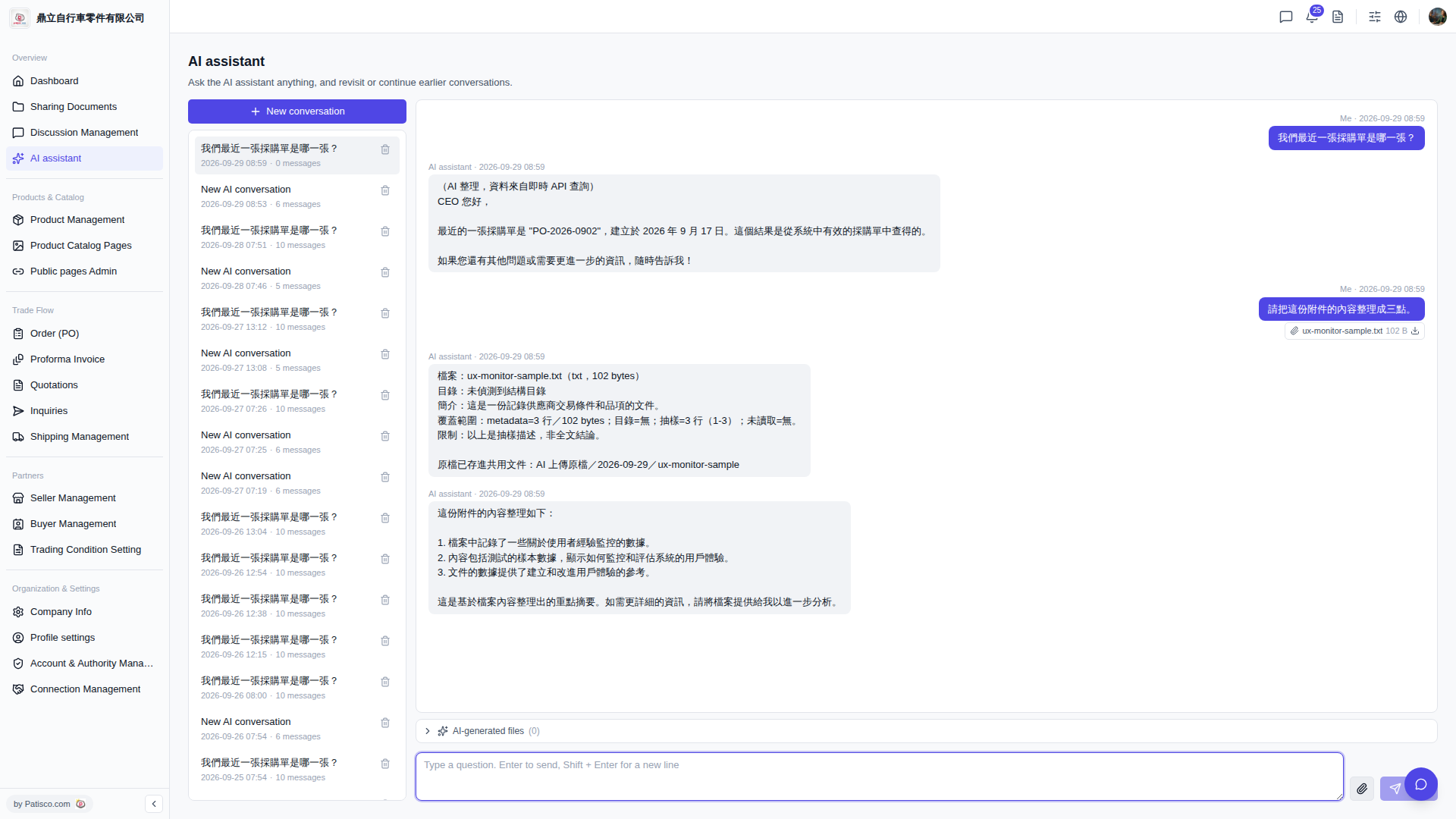
1. Go to the "AI assistant" page (the URL bar shows /ai-assist). 2. If you want to open a new conversation, click the "+ New conversation" button at the top of the list on the left. 3. Next to the input box on the bottom right, click the "paperclip icon" (attachment upload button). 4. Select and upload a local file; the attachment will appear in the conversation area. 5. Type your question in the input box, press Enter or click the "arrow icon" to send.
You can ask like this: "Please organize the content of this attachment into three points." The AI will respond like this: The AI will first explain the basic information of the file (file name, size, summary), then list the key points in a bulleted format, for example: "1. The file records some data about user experience monitoring. 2. The content includes sample data from testing... 3. The data in the document provides a reference for building and improving user experience."
 V5 新桌面版|AI assistant