
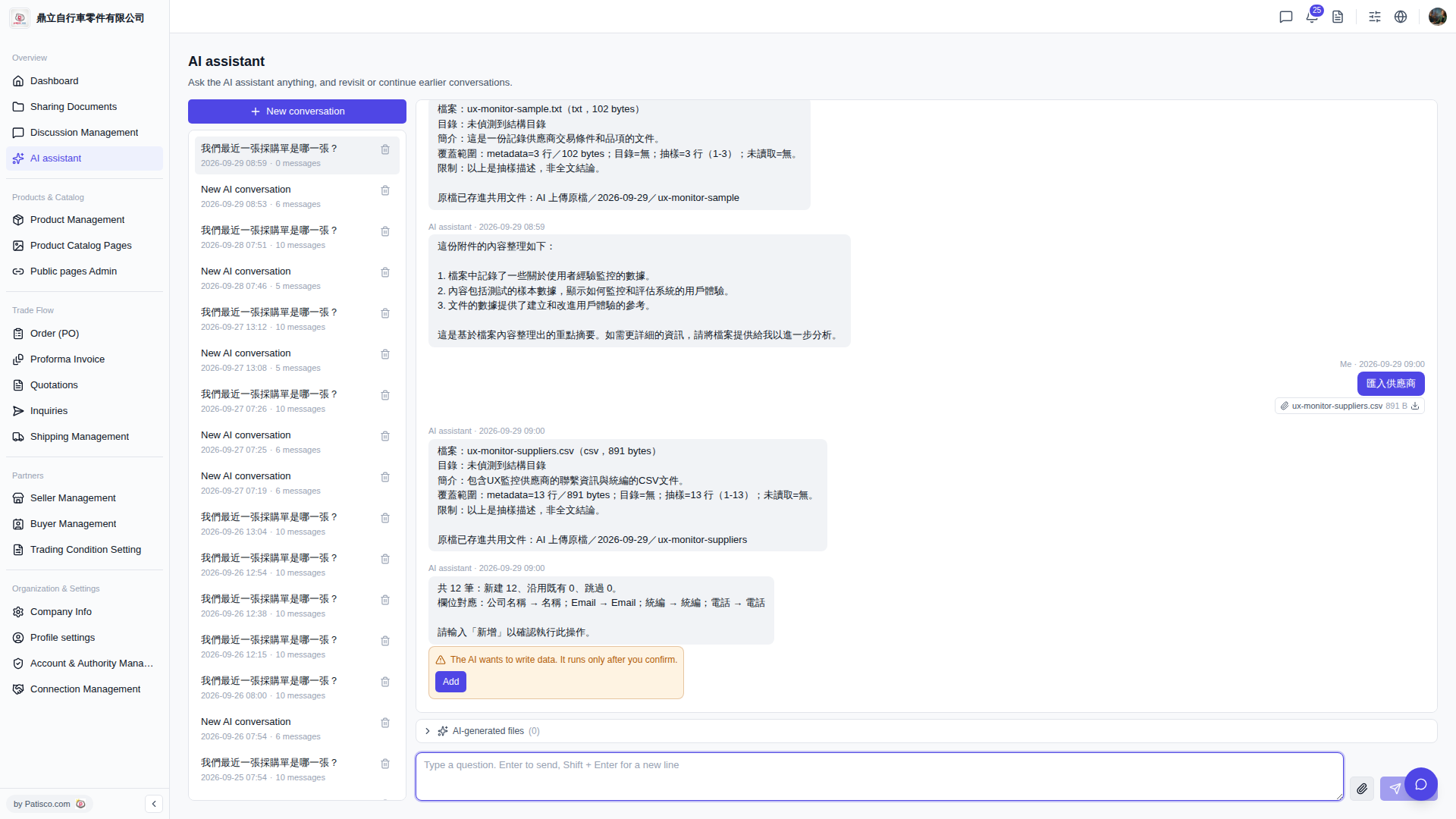
1. When the AI completes data parsing and is ready to write, an orange alert box will appear in the center of the conversation area: "The AI wants to write data. It runs only after you confirm." 2. Carefully verify that the field mapping and number of records displayed by the AI are correct. 3. After confirming everything is correct, click the "Add" button in the alert box so the AI will formally execute the add operation. 4. If you don't want to proceed, don't click "Add"; you can directly open a new conversation or leave the page, and the data will not be written.
Known situation: Currently, the AI response does not explicitly indicate the location of the AI-generated output files. The "AI-generated files (0)" section at the bottom shows no output files. If you have concerns, you can check the "AI uploaded files / date" folder to confirm the original file.
 V5 新桌面版|AI assistant