
Add a main folder: 1. Click the "+ Add Main Folder" button at the top of the Shared Files page. 2. Enter the folder name and confirm to create it.
Rename or delete an existing folder: 1. Find the target folder and click the "⋮" (three-dot menu) on the right side of that row. 2. Select "Rename" or "Delete" from the expanded options.
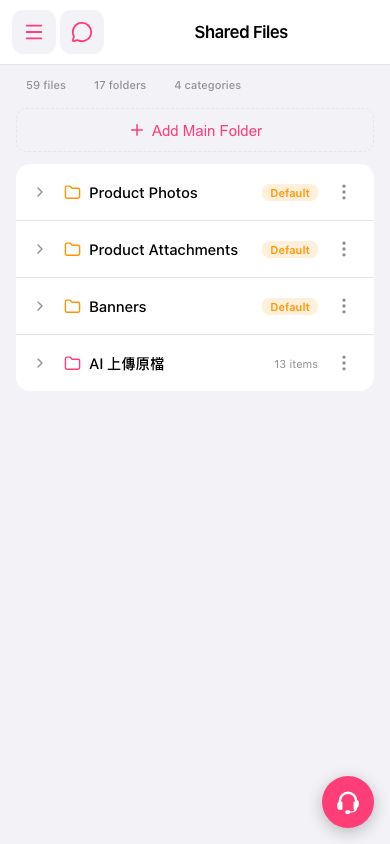 手機版|共享檔案