
1. Open the mobile version of Patisco and go to the "AI conversation (New AI conversation)" page. 2. Click on the input box "Ask AI a question..." at the bottom of the screen. 3. Enter your question in natural language, for example: "What is our most recent PO?" 4. Click the pink send button (paper airplane icon) in the bottom right to submit your question. 5. After a moment, the AI will query the system data via real-time API and display the results, including the PO number, status, and creation date.
Example question: "What is our most recent PO?" Example AI response: "According to system records, our most recent PO is 'PO-2026-0902', with status confirmed, and creation date September 17, 2026. This is the latest record retrieved."
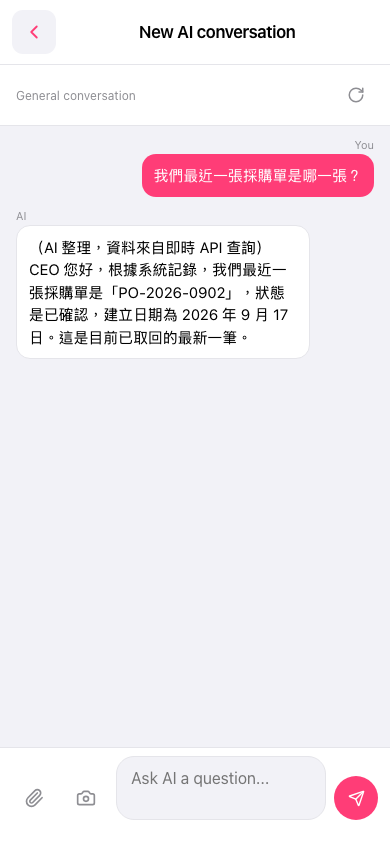 手機版|AI 對話(New AI conversation)