
1. After receiving the AI's summary of field mappings and record count, carefully review the three figures: "new", "existing", and "skipped" to ensure they match your expectations. 2. After confirming everything is correct, enter "Add" in the input box at the bottom and click "send (pink arrow button)". 3. After the AI confirms execution, the supplier data is batch added to the system. 4. If you need to start over, click the "refresh/reset" button in the top right corner to restart the conversation.
Known limitation: The source filename is currently not displayed in the AI response. It is recommended to verify the record count and field mappings once more before execution.
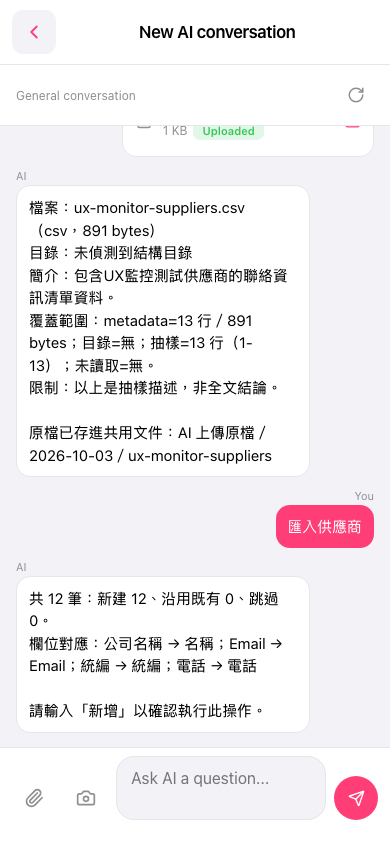 手機版|New AI conversation(AI 對話)