
1. After opening the catalog page (the page title is "Buyer Catalog"), click the corresponding category in the left "Category" section (for example: bicycle parts) to narrow down the product range. 2. If you want to limit the price, enter "Min" and "Max" amounts in the left "Price range," then click "Apply" to apply the filter. 3. In the search bar at the top of the page, first select the search field type from the left dropdown (such as: "Item name"), then enter a keyword and press Enter. 4. If you want to adjust the sort order, click the dropdown menu on the right and switch between "Created D..." (creation date) or "High to low" (price from high to low). 5. Browse the product cards. Hover your mouse over the target product and click the "Add To Cart" button that appears to add the product to your shopping cart.
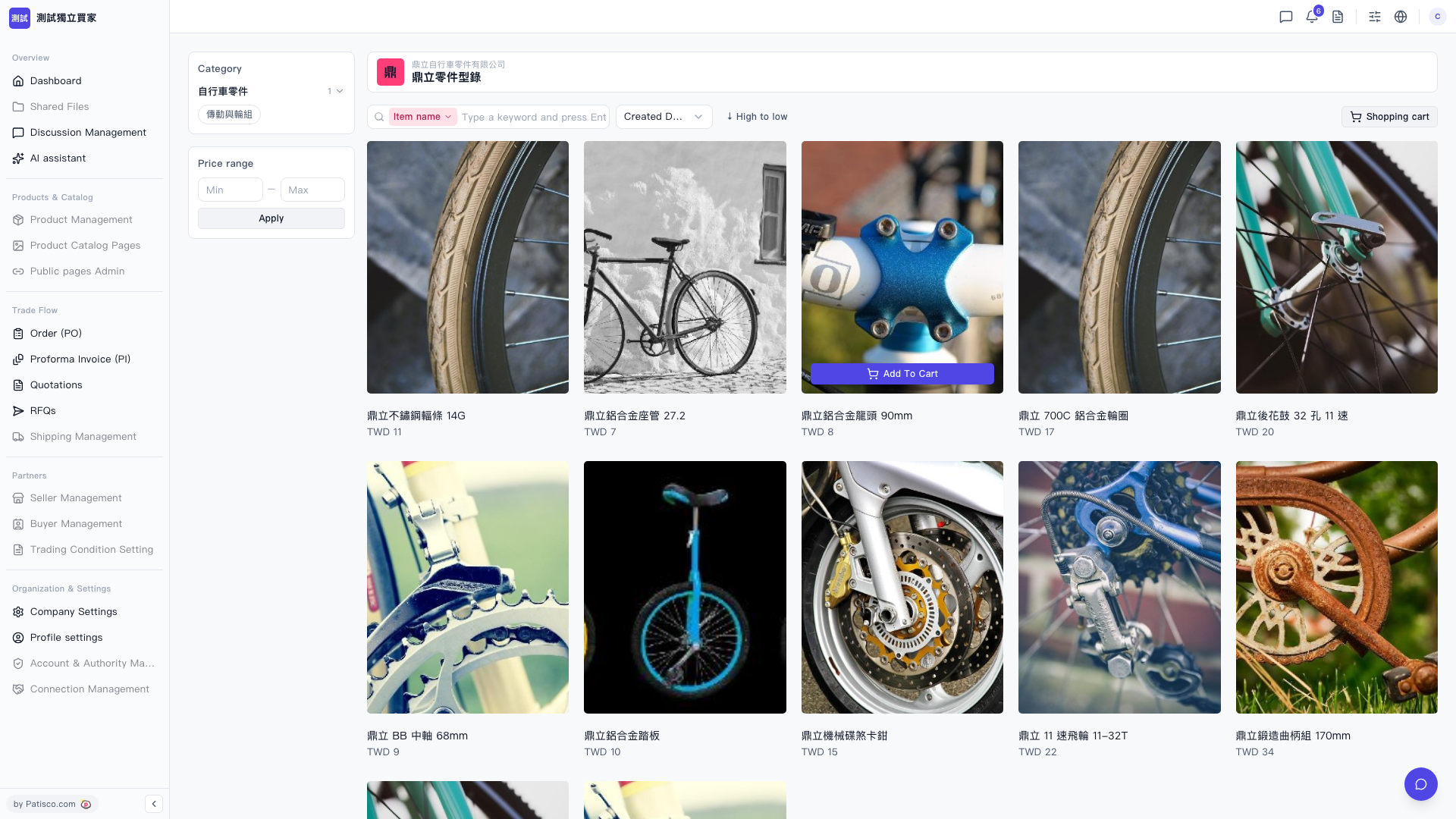 V5 新桌面版|鼎立零件型錄