
1. After entering the "Seller Product Catalog" page, first select conditions such as "Category", "Brand", "Public Display Requirements", or "Sales Method Requirements" from the left filter panel to narrow the range. 2. If you want to limit the price, enter the minimum and maximum prices in the "Price Range" field on the left, then click "Apply". 3. You can also select "Product Name" in the search bar above the list, enter a keyword, and press Enter to search. 4. When you need to adjust sorting, click the "Creation Date" dropdown menu to change the sorting criteria, then click "Descending" to change the sort direction.
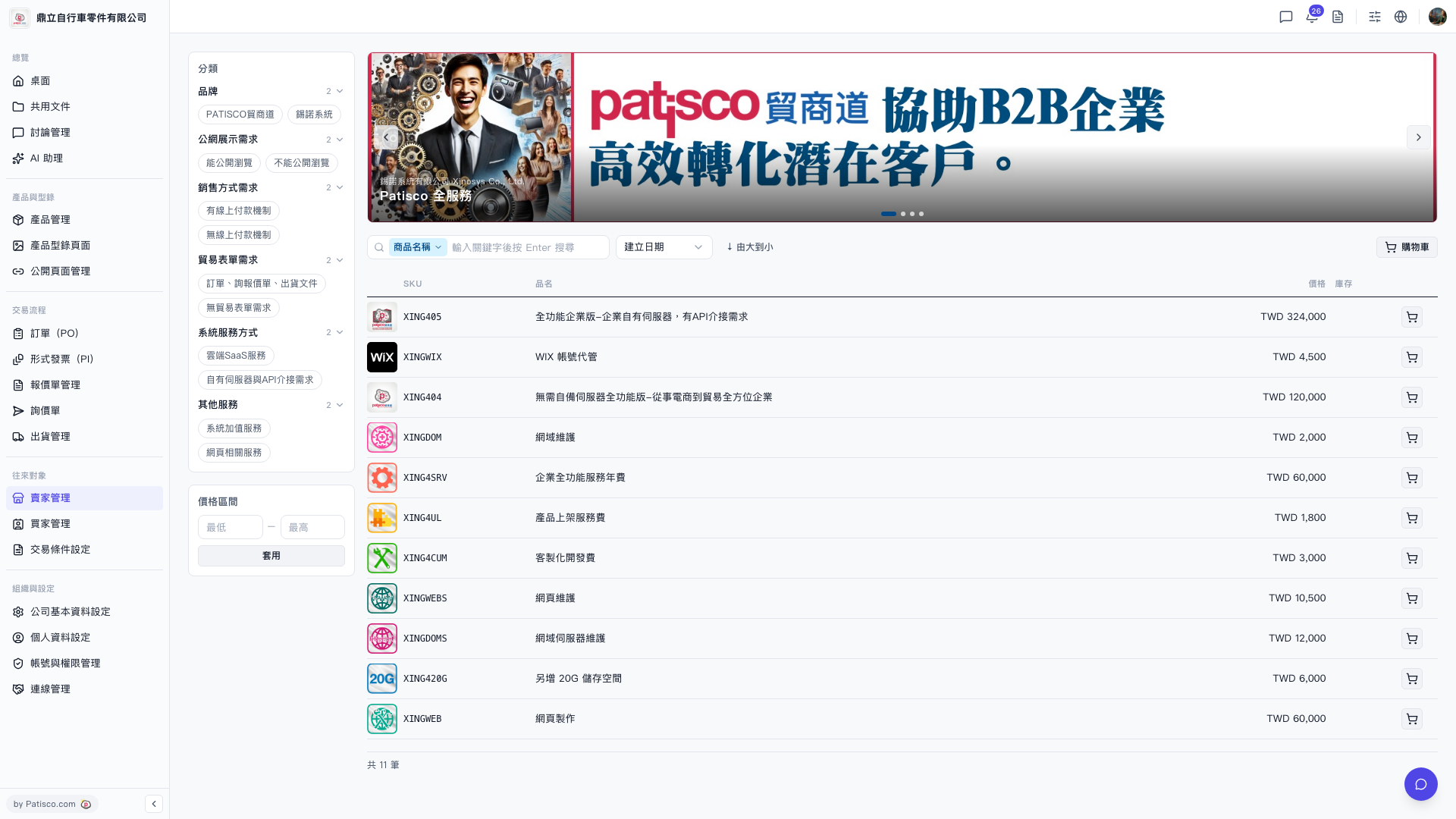 V5 新桌面版|賣家產品目錄(Catalog)