
1. Open the Patisco mobile version and click the ≡ (hamburger menu) in the top left corner to find the navigation entry, or go directly to the "My Profile" page. 2. The page is divided into three sections: ACCOUNT, BASIC INFO, and PREFERENCES. 3. To modify your name, click "Name ›"; to modify your phone number click "Phone Number ›"; to modify your job title click "Job Title ›"; to modify your timezone click "Timezone ›". 4. Click to enter and follow the on-screen prompts to input the new value, then save.
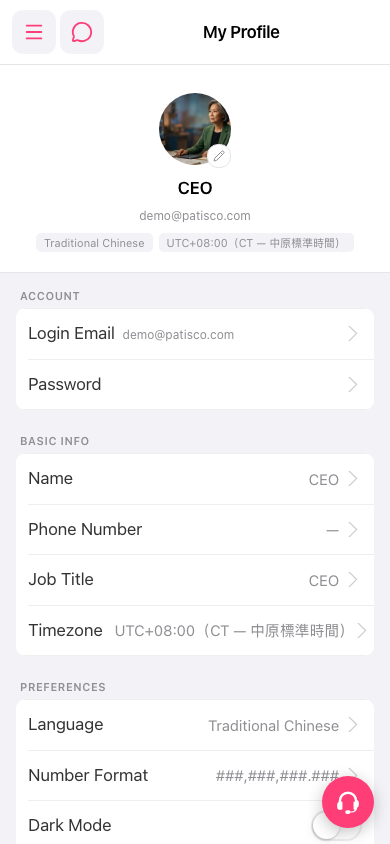 手機版|My Profile