
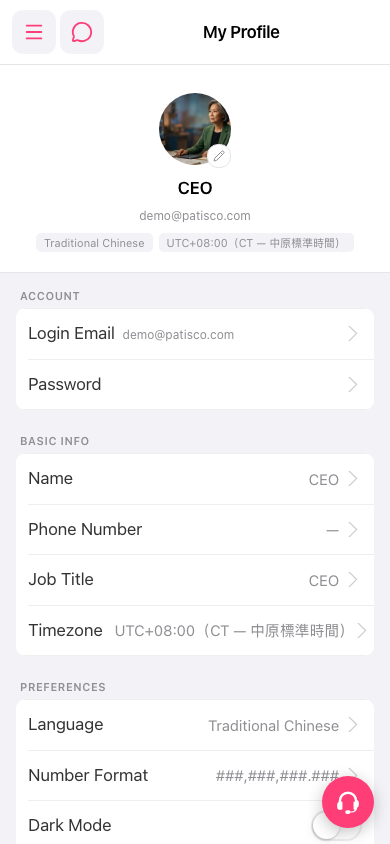
Yes, the following three operations are located in different places: 1. Change avatar: Click the ✏️ icon in the bottom right of your avatar and upload a new photo. 2. Change password: Click "Password ›" in the ACCOUNT section and follow the prompts to enter and confirm your new password. 3. Dark mode: Find the "Dark Mode" toggle at the bottom of the PREFERENCES section and click it to turn dark mode on or off. 4. If you need to change the interface language or number format, click "Language ›" or "Number Format ›" in the PREFERENCES section respectively.
 手機版|My Profile