
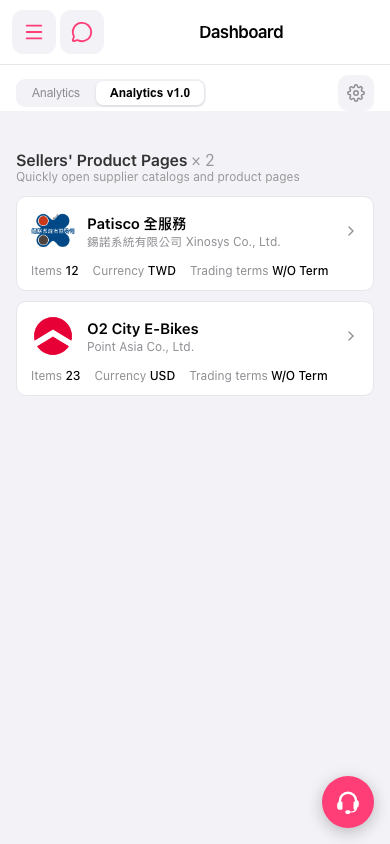
1. In the "Sellers' Product Pages" section on the Dashboard, you can see a list of currently linked suppliers. Each entry displays the supplier name, company name, Items (product quantity), Currency, and Trading terms. 2. Click on any supplier card (for example, "Patisco 全服務" or "O2 City E-Bikes") to access that supplier's catalog page. 3. If you need customer service assistance, click the pink headphone icon button in the bottom right corner to contact the support team.
 手機版|Dashboard