
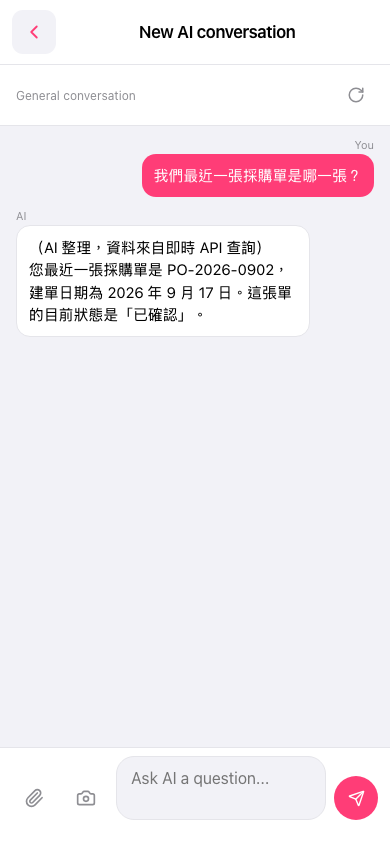
1. Open the "AI assistant" page and confirm the screen displays "New AI conversation" at the top. 2. Click the input field "Ask AI a question..." below and enter the question you want to ask. 3. Click the pink "✈" send button on the right to send your question. 4. Wait for the AI to respond; the result will be displayed in the AI reply message area above, including PO number, creation date, status, and other information. 5. You can continue entering new questions in the input field and repeat sending to make additional queries.
You can ask like this: "What is our most recent PO?" The AI will respond like this: "Your most recent PO is PO-2026-0902, created on September 17, 2026, and its current status is 'Confirmed'."
 手機版|AI 對話助理