
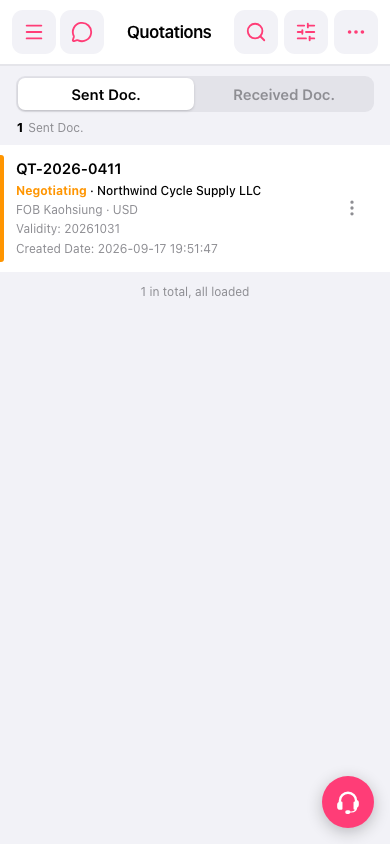
1. After entering the quotation management page, click the magnifying glass icon in the top right corner and enter a keyword (such as a quotation number or customer name) to search. 2. To filter by conditions (such as date range or status), click the filter icon (adjustment icon) in the top right corner, set the filtering conditions, and apply them. 3. To edit, copy, or perform other actions on a single quotation, click the "⋮" three-dot menu on the right side of that quotation row in the list and select the corresponding action.
 手機版|報價單管理