
1. Open the mobile version of Patisco and go to the AI conversation page. Confirm that the top displays New AI conversation. 2. To change the conversation type, tap the General conversation dropdown at the top to select a different type. 3. Tap the input field at the bottom (Ask AI a question...) and type your question. 4. If you need to attach a file, tap the paperclip icon on the left side of the input field to upload an attachment. If you need to upload a photo, tap the camera icon. 5. After typing, tap the pink Send button in the bottom right to submit your question. 6. Wait for the AI to respond. The AI will query system data through a real-time API and display the results.
You can ask like this: "What was our most recent PO?" The AI might respond: "Your most recent PO is PO-2026-0902, confirmed, created on September 17, 2026."
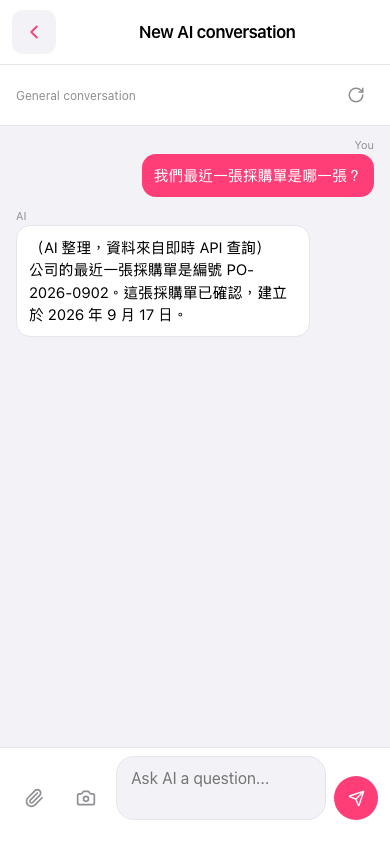 手機版|AI 對話(New AI conversation)