
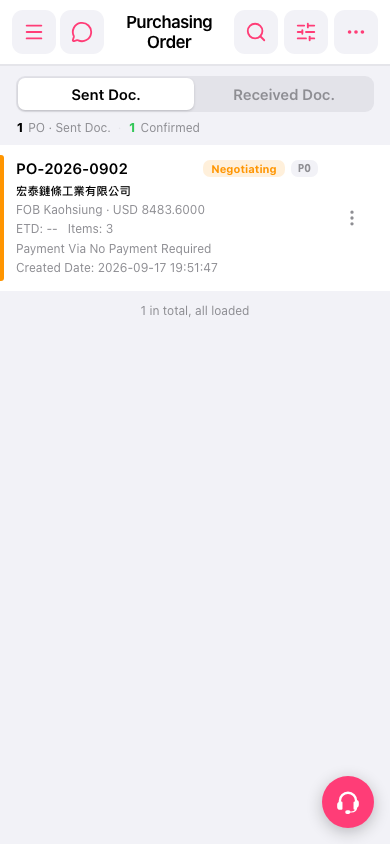
1. Open your mobile browser and go to the purchase order management page. The list will display "Sent Doc." by default, which are the purchase documents you have sent. 2. To view purchase documents received from the other party, click the "Received Doc." Tab in the upper right of the page to switch. 3. Each order in the list displays a summary of information including PO number, seller name, currency and amount, status, and estimated time of departure (ETD). 4. Click on any order row (for example, PO-2026-0902) to enter the details page and view complete information. 5. To perform operations such as editing, confirming, or deleting an order, click the "⋮" three-dot menu on the right side of that order and select the corresponding action.
 手機版|採購訂單管理(Purchasing Order)