
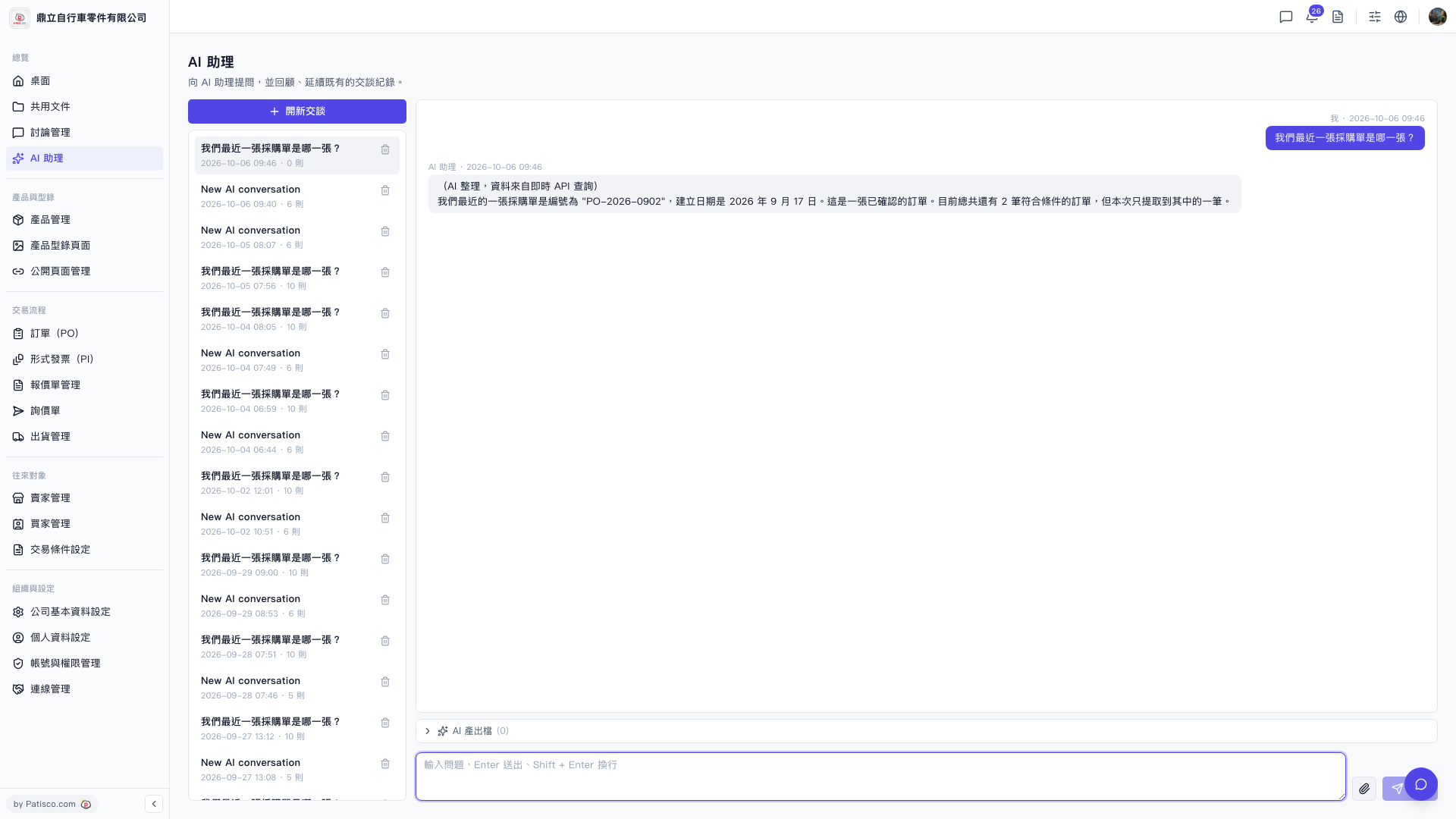
1. After entering the "AI assistant" page, if you want to start a new conversation, click "+ New conversation" at the top of the conversation list on the left side; if you want to continue an old conversation, directly click the historical conversation in the list on the left. 2. In the "Enter question text box" at the bottom of the page, type the question you want to ask. 3. Press Enter to submit (use Shift+Enter if you need a line break), or click the submit button (arrow icon) in the bottom right corner. 4. Wait for the page to display "AI organized, data from real-time API query", and once complete, you can read the AI's reply.
💡 You can ask like this: "What was our most recent PO?" AI will respond like: "Your most recent PO is numbered PO-2026-0902, created on September 17, 2026, and this is a confirmed order."
 V5 新桌面版|AI 助理