
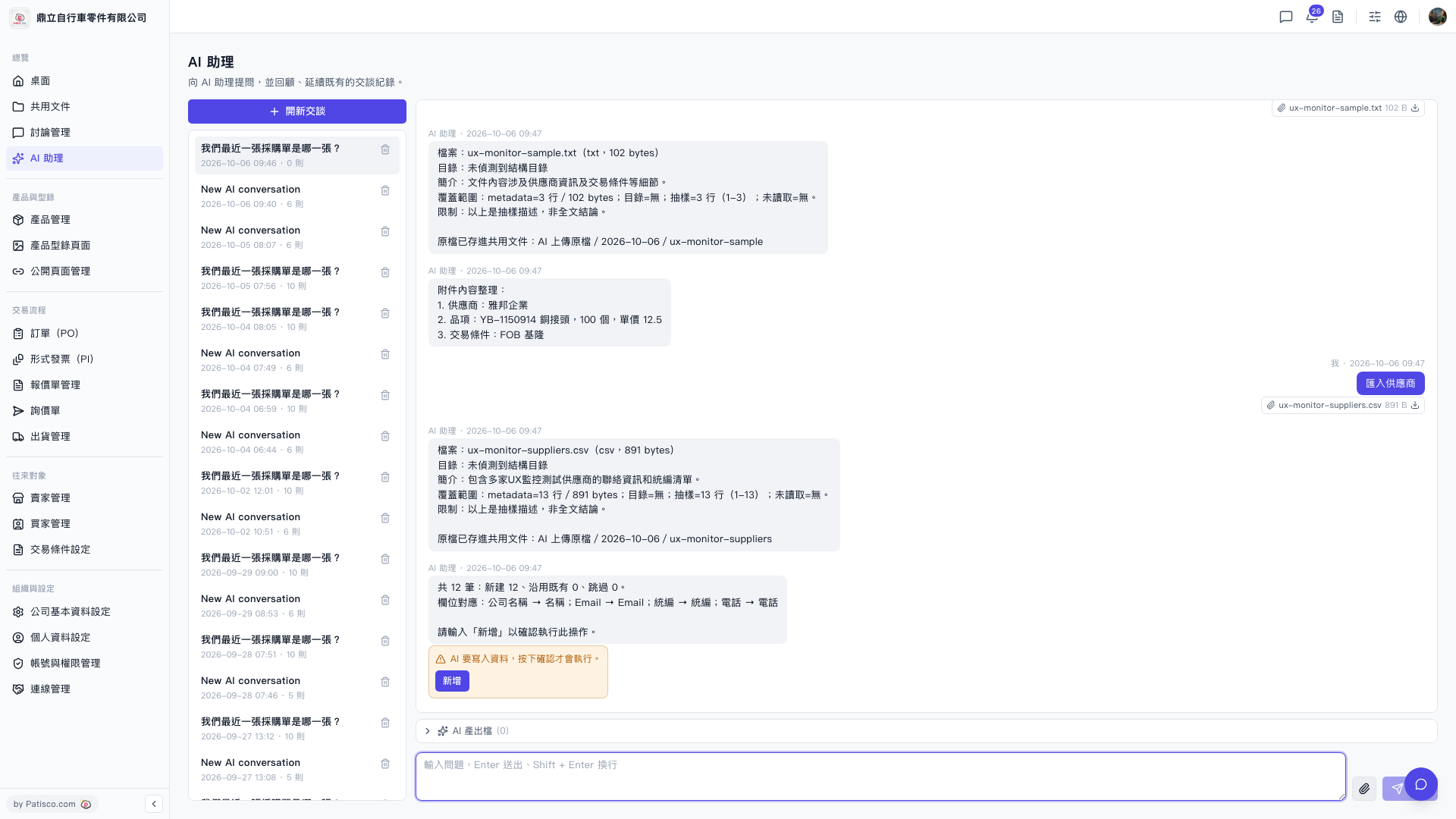
Yes, after the AI assistant parses the CSV and displays the field mapping and number preview, it will not write the data immediately. 1. Read the import summary displayed by the AI assistant (number of new records, field mapping). 2. After confirming the content is correct, type "add" in the conversation box and submit. 3. The AI will execute the write operation only after receiving confirmation, and will display the actual import results after completion.
Note: If you close the window directly or do not type "add", the data will not be written to the system.
Known status: Currently the AI response does not prompt where to download or view the output file after import completion. To confirm the write results, please visit the shared documents folder "AI uploaded files/2026-10-06/" to view the original uploaded file.
 V5 新桌面版|ai.outputs.csv