
1. After submitting the "import suppliers" command, when the AI finishes parsing, it will display "import preview seller 12 records.csv" in the attachment area at the bottom of the conversation. 2. Tap the filename to download it to your phone. It is recommended to download and review the fields and record count to ensure they are correct before typing "create" to confirm the import.
⚠️ Known issue: Although the AI response suggests the output file is in the conversation, the "AI Output Files" card currently does not appear. You can only find and download the file from the attachment area at the bottom of the conversation.
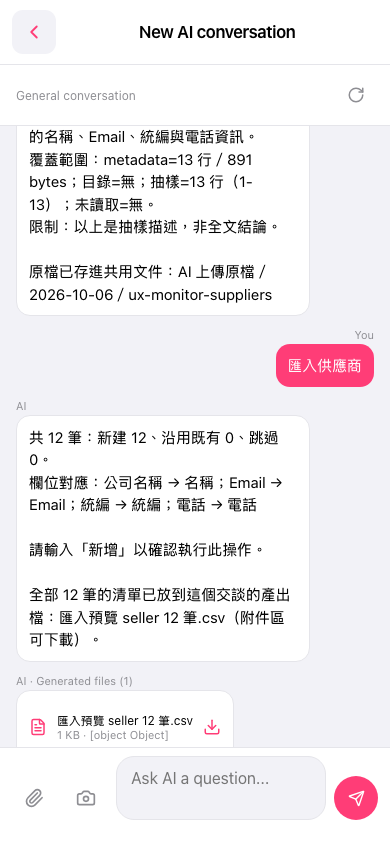 手機版|New AI conversation