
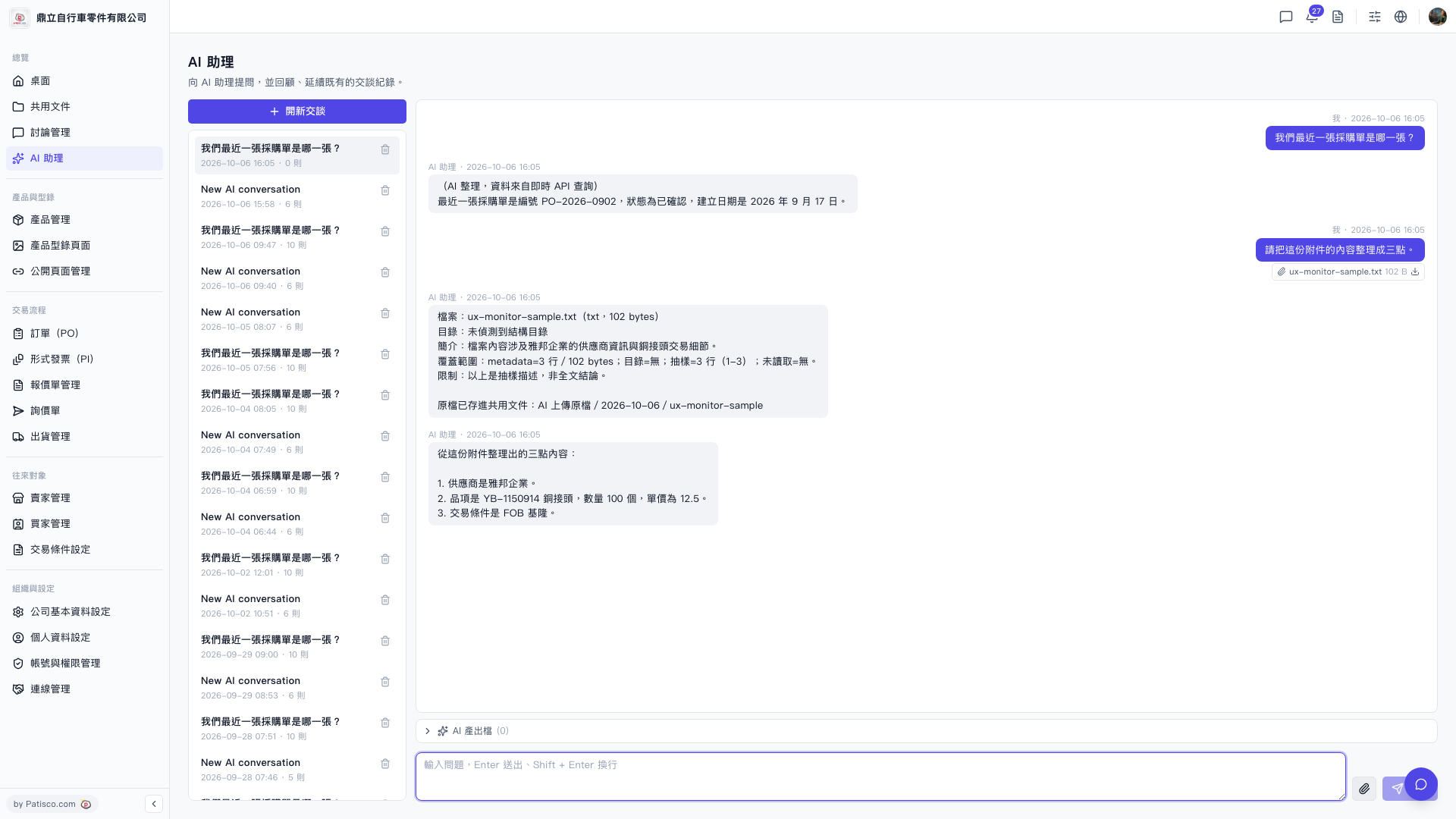
1. After entering the "AI assistant" page, click "+ New Conversation" on the left side to open a new dialogue. 2. Click the "Attachment icon (paperclip)" at the bottom right of the input box, select the file you want to analyze from your computer, and upload it. 3. Enter your question or instruction in the input box and press Enter to submit (press Shift + Enter to create a new line). 4. Wait for the AI assistant to respond with analysis results in the conversation area. 5. If the AI generates an attachment, click the "Download icon" on the right side of the attachment message to save the file to your computer.
You can ask like this: "Please organize the content of this attachment into three points." The AI will respond like this: "Here are three key points from the attachment: 1. The supplier is Yabon Enterprise. 2. The item is YB-1150914 copper connector, quantity 100 pieces, unit price 12.5. 3. The trading condition is FOB Keelung."
 V5 新桌面版|AI 助理