
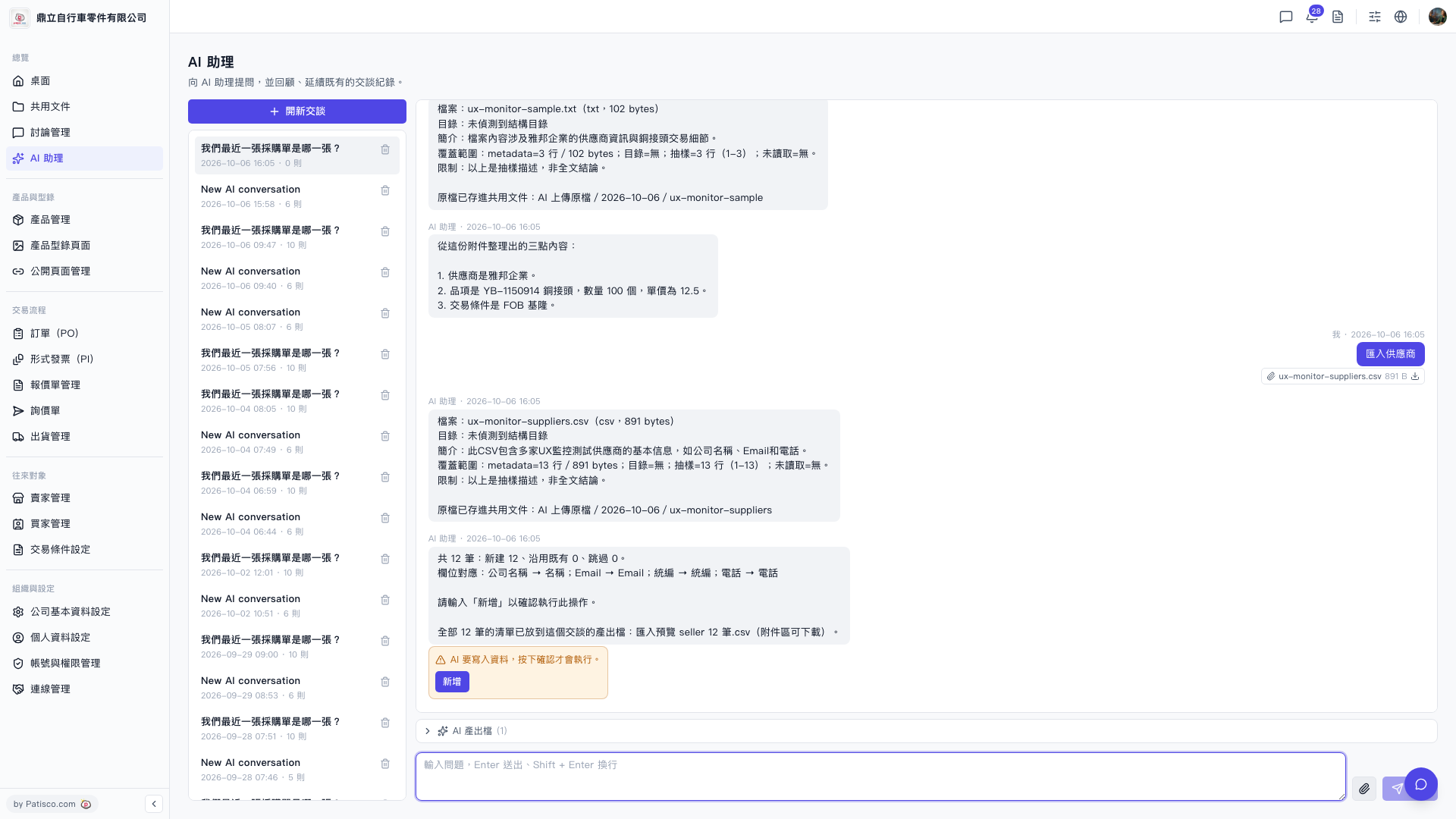
1. Open the AI assistant page (the URL shows /ai-assist). 2. Upload your supplier CSV file to the AI assistant, which will automatically parse the fields and display the corresponding mapping, for example: Company Name → Name; Email → Email; Tax ID → Tax ID; Phone → Phone. 3. After the AI confirms the number of records (for example, "Total 12 records: 12 new, 0 existing, 0 skipped"), enter "Add" to confirm execution. 4. After execution is complete, the original file will be saved to the shared document folder "AI Uploaded Files / Date".
You can ask like this: "Import suppliers (12 rows csv)" The AI will respond like this: "Total 12 records: 12 new, 0 existing, 0 skipped. Field mapping: Company Name → Name; Email → Email; Tax ID → Tax ID; Phone → Phone. Please enter 'Add' to confirm this operation."
 V5 新桌面版|ai.outputs.csv