
1. After entering the "Buyer Management - Product Catalog" page, you can use the filter panel on the left side to select conditions such as "Brand", "Public Display Requirement", "Sales Method Requirement", "Trading Document Requirement", "System Service Method", and "Other Services" to narrow down the display range. 2. To limit the price range, enter the minimum and maximum prices respectively in the "Price Range" field in the left filter panel, then click "Apply". 3. To quickly find products by product name, enter a keyword in the "Product Name" search field at the top of the list and press Enter. 4. When you need to adjust the sort order, click the "Largest to Smallest" button at the top of the list to toggle the sort direction (based on creation date).
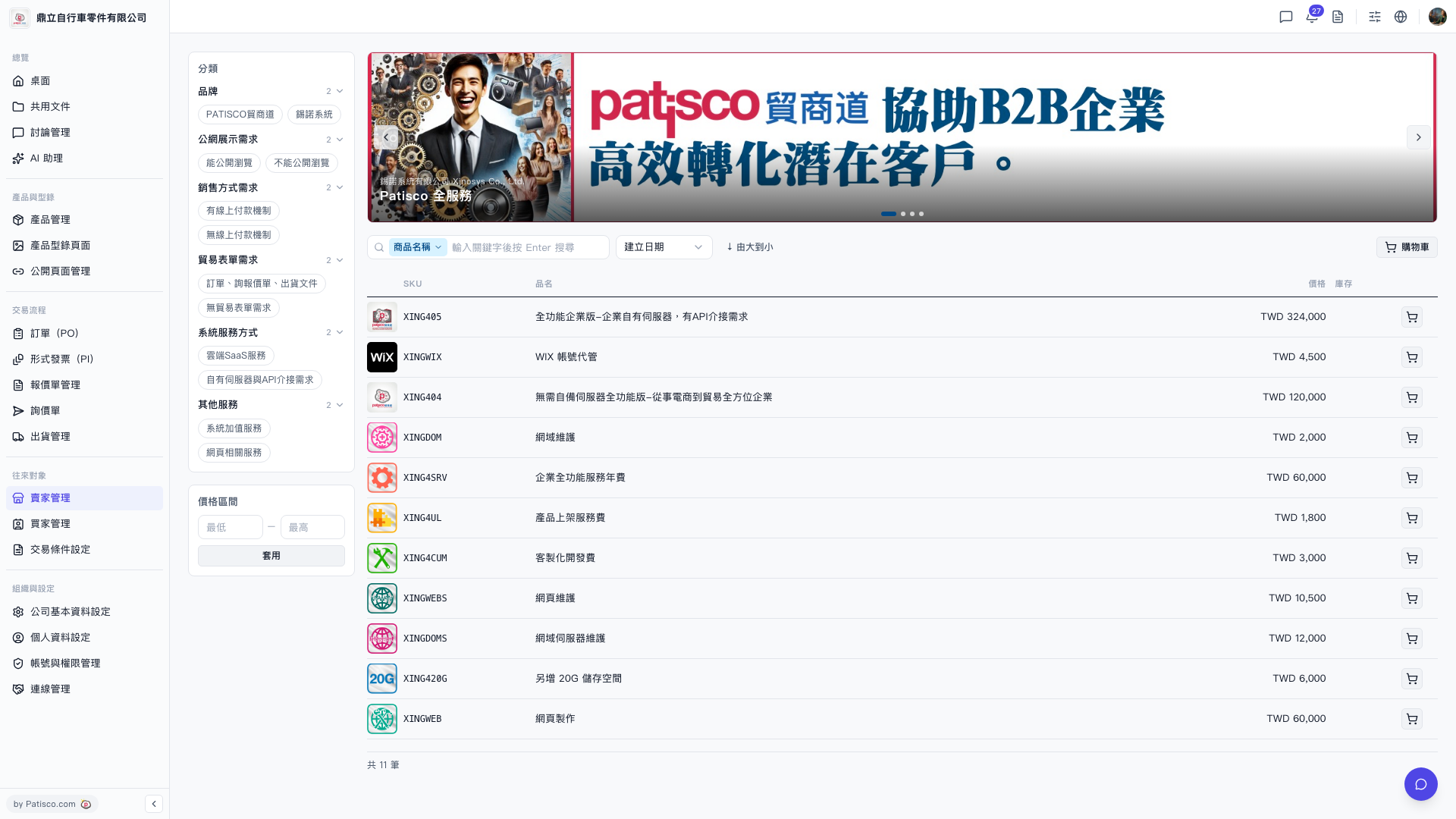 V5 新桌面版|貿家管理 - 產品目錄