
1. After entering the "Purchasing Order" page, click the "Search icon" (magnifying glass) in the upper right corner, enter the PO number or supplier name to find the corresponding PO. 2. To filter by status, date range, or other conditions, click the "Filter icon" in the upper right corner, set the filter conditions, and apply them. 3. After finding the target PO, click the PO card to view complete details; click the "⋮" button on the right side of the PO card to perform advanced operations such as editing, confirming, or deleting.
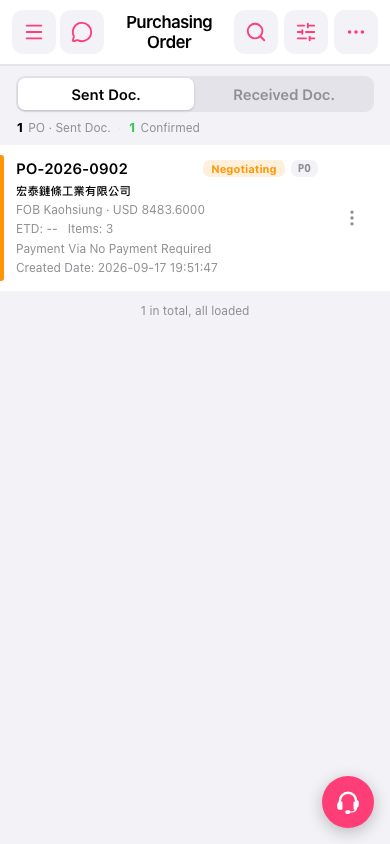 手機版|Purchasing Order(採購訂單)