
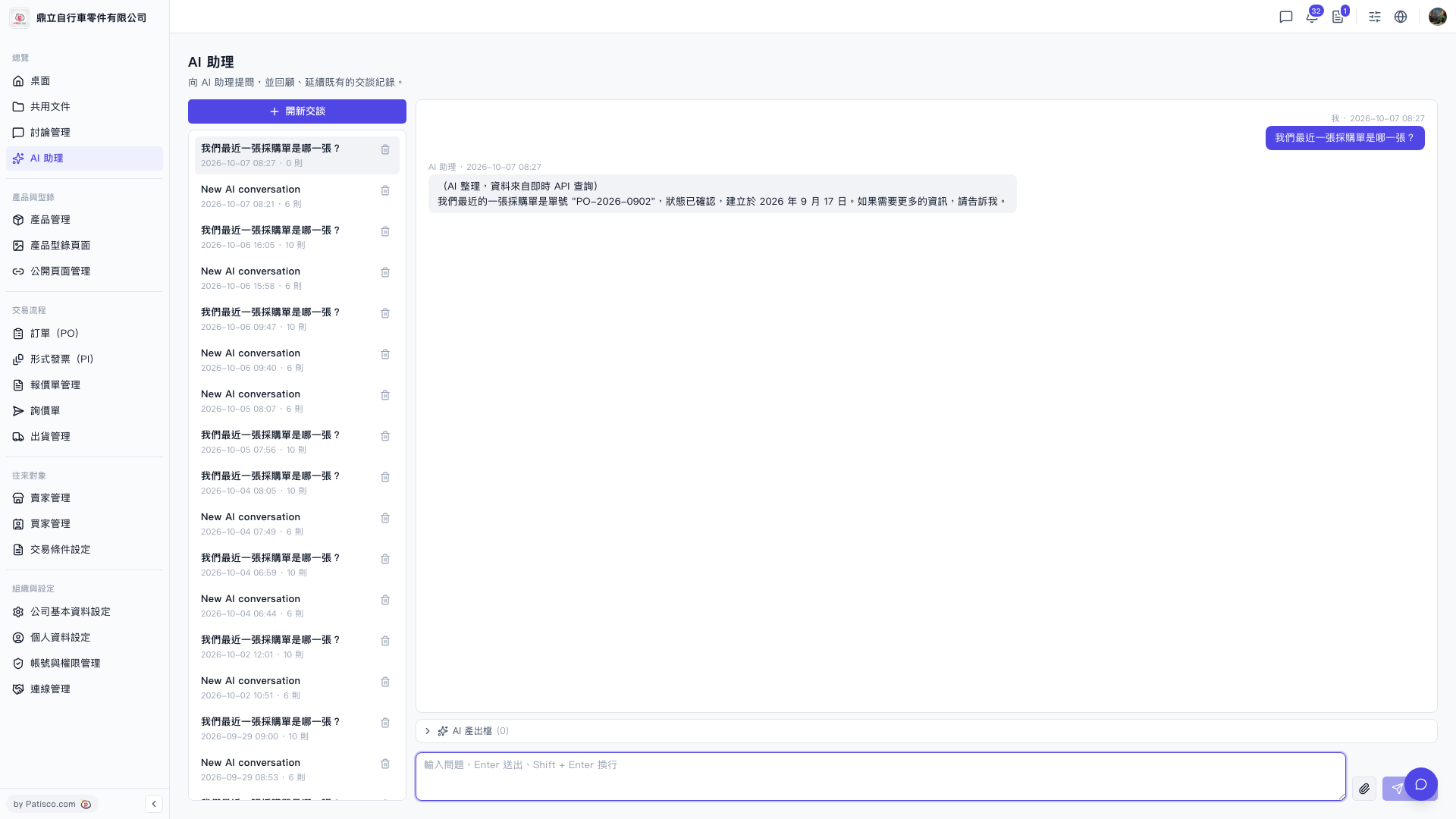
1. After entering the "AI assistant" page, click the "+ New Conversation" button at the top of the conversation list on the left side to create a new conversation. 2. Type your question in the conversation input box at the bottom of the page. 3. Press Enter to send (press Shift + Enter to create a line break). 4. Wait a moment for the AI to automatically query system data and display the reply in the conversation area.
You can ask like this: "What is our most recent PO?" The AI will respond like this: "Our most recent PO is PO-2026-0902, with status confirmed, created on September 17, 2026. Please let me know if you need more information."
 V5 新桌面版|AI 助理