
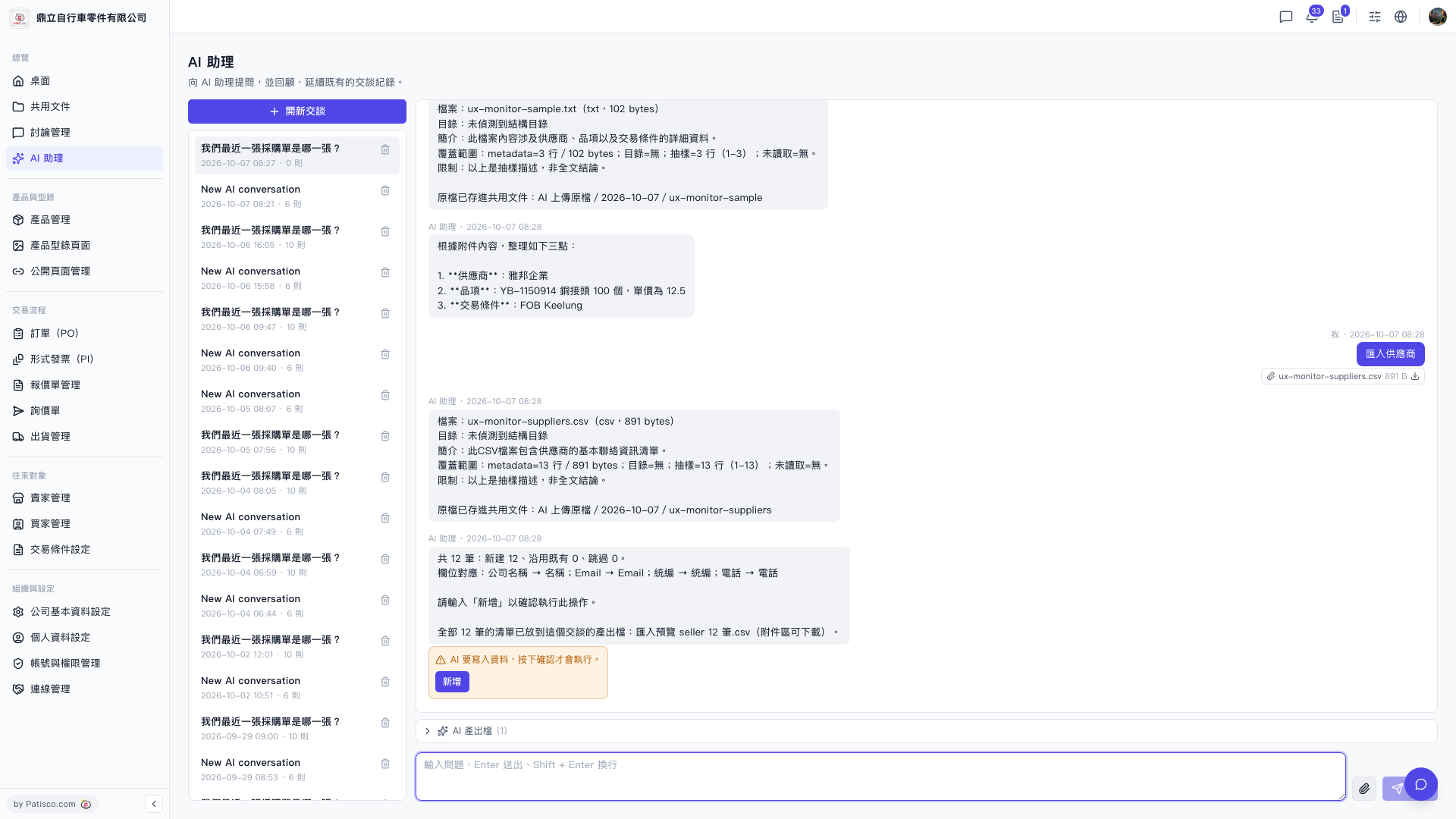
Yes. The AI assistant will automatically generate a preview file before executing the import. Here are the steps: 1. After uploading the CSV and completing field mapping, the AI assistant will prompt "The list of all 12 records has been placed in the output files of this conversation: Import Preview seller 12 records.csv". 2. Go to the "Attachment area" of the conversation to download the preview CSV and confirm the content is correct. 3. After confirming everything is correct, type "Add" and the AI will formally write the data.
Note: The original uploaded file will be simultaneously stored in the corresponding date folder of "AI Upload Original Files" for future reference.
 V5 新桌面版|ai.outputs.csv