
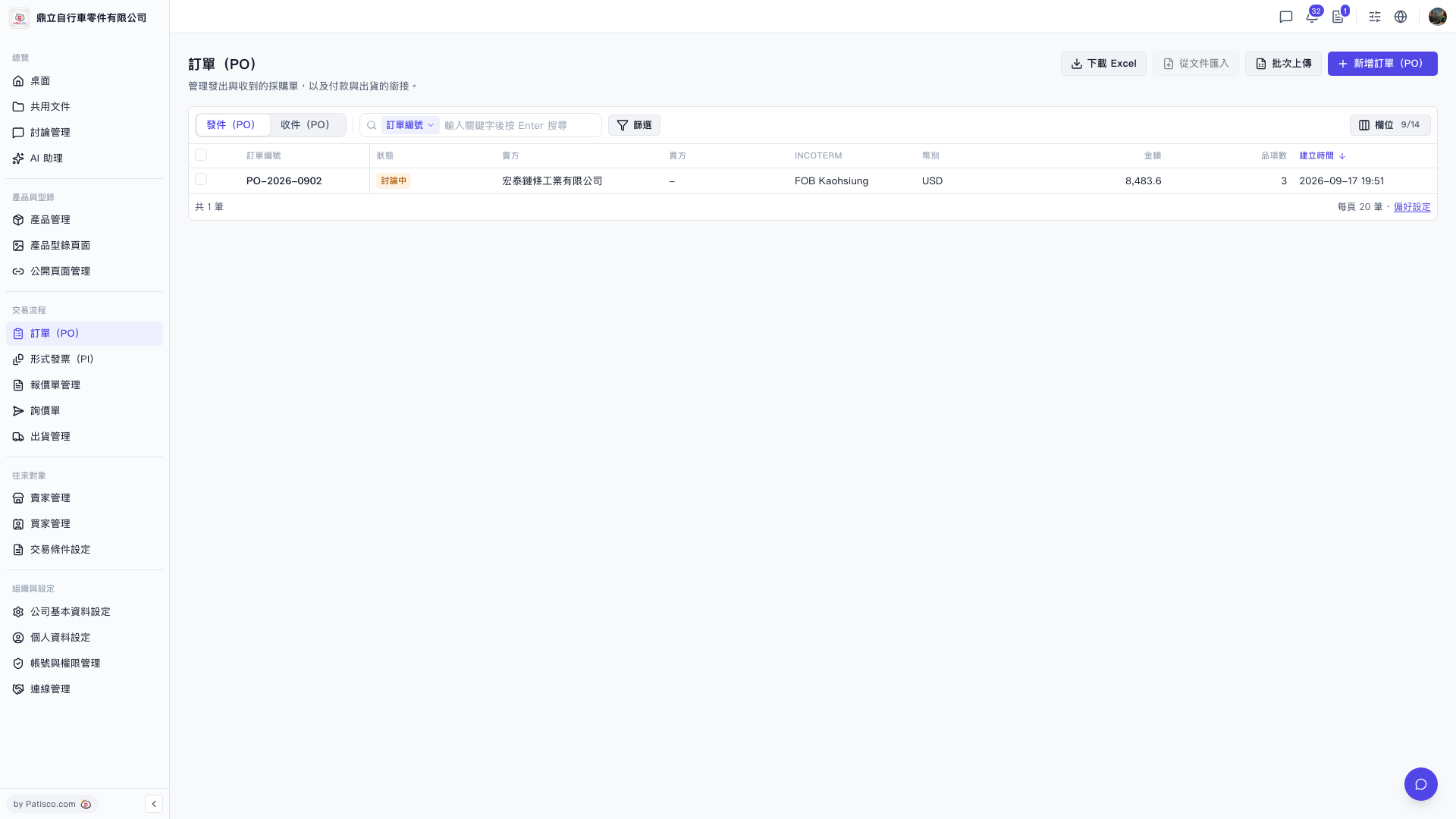
1. In the left sidebar, find the "Sales Process" section and click "PO" to enter the PO list page. 2. After entering, the page title is "PO". There are two tabs above the list: "Sent (PO)" shows the purchase orders you sent, and "Received (PO)" shows the purchase orders you received. Click to switch views. 3. The list columns include PO number, status, buyer, seller, INCOTERM, currency, amount, number of line items, creation date, and other information. 4. The top right corner provides action buttons such as "Download Excel", "Import from File", "Batch Upload", and "+ Add PO".
 V5 新桌面版|訂單(PO)