
1. After logging in to V5 desktop version, go to https://v5.patisco.com/quo, or access the "Quotation Management" page from the menu. 2. The page defaults to the "Sent" tab, listing all quotations you have sent. 3. List columns include: quotation number, buyer, currency, expiration date, status, creation date, and other information. 4. To view quotations you have received, click the "Received" tab on the left side of the filter row above the list to switch. 5. The top right corner provides two main action buttons: "+ Add Quotation" and "Download Excel".
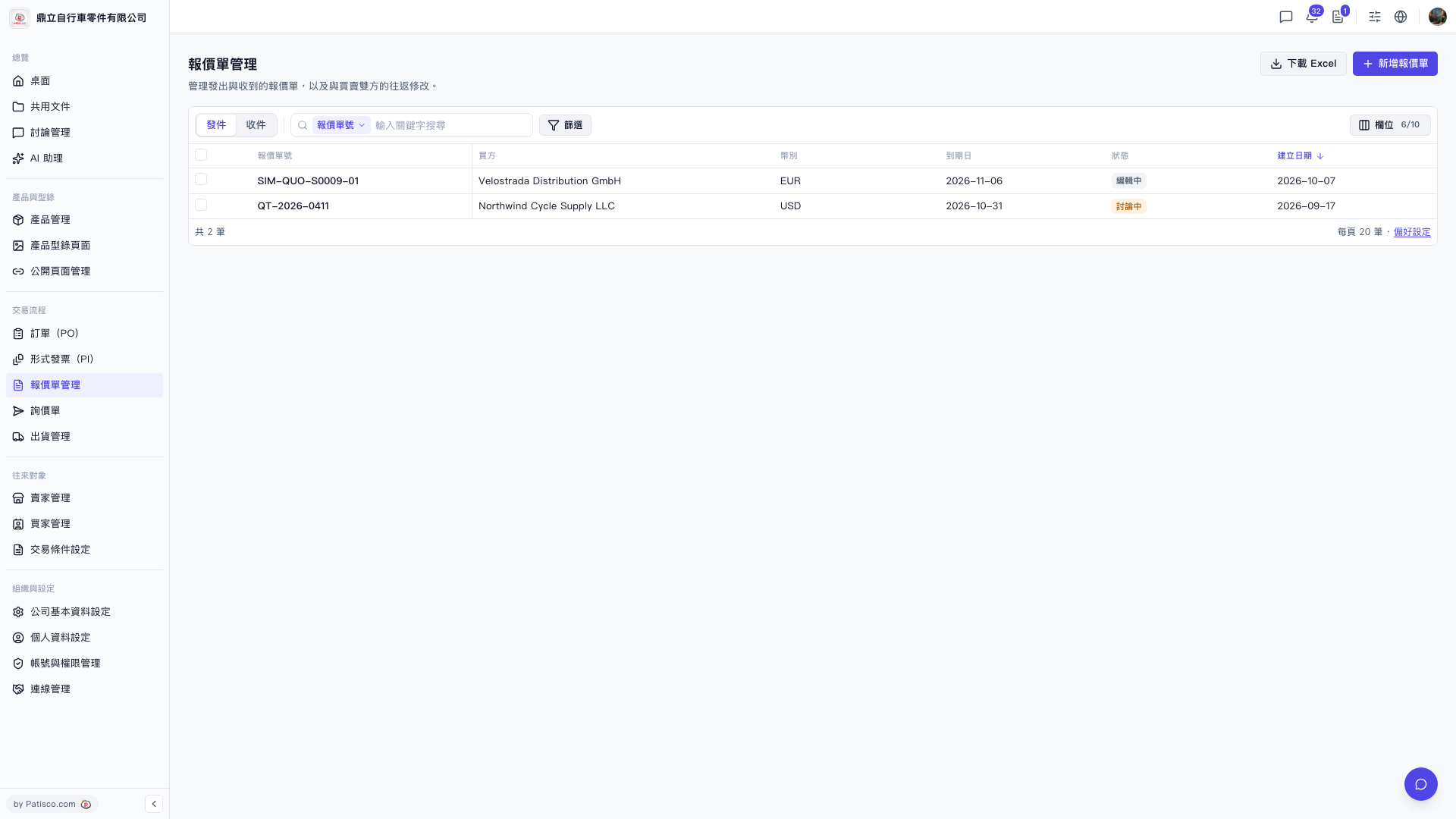 V5 新桌面版|報價單管理