
1. Click on "Quotation Number (dropdown)" on the left side of the search field and select the type of condition you want to search by (for example, quotation number). 2. Enter keywords in the input box to search. 3. For more detailed queries based on status, date range, etc., click the "Filter" button to the right of the search field and set advanced filter criteria. 4. If you need to adjust which columns are displayed in the list, click the "Columns 6/10" button in the top right corner of the list to customize which columns you want to show (currently displaying 6 out of 10 columns). 5. The number of rows displayed per page can be adjusted through the "Page Settings" at the bottom right of the list (default is 20 rows per page).
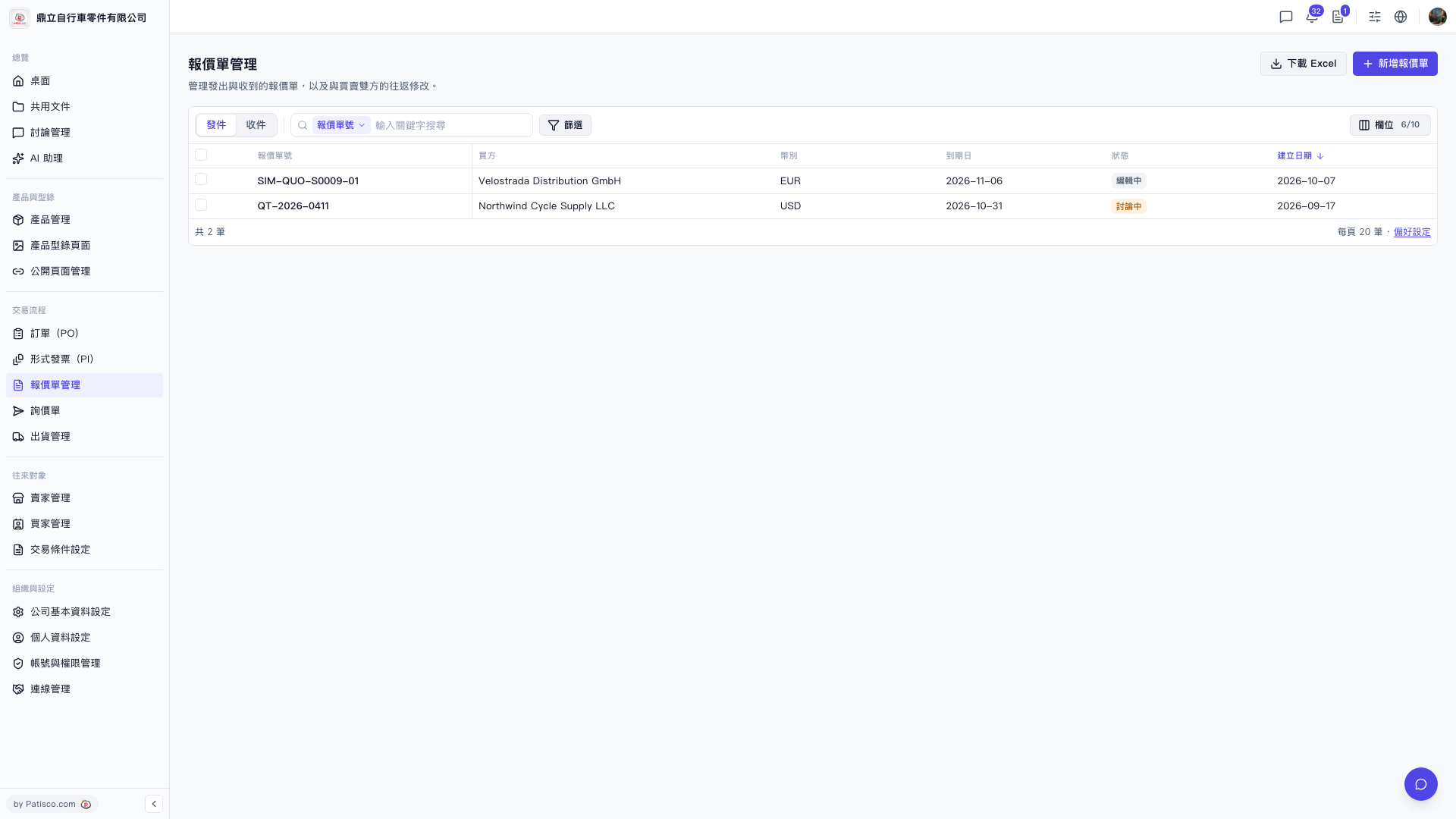 V5 新桌面版|報價單管理