
Yes, there are two ways: 1. Upload a file: Click the 'Attachment' (paperclip icon) on the left side of the bottom input row and select the file you want to upload. 2. Upload a photo: Click the 'Camera' icon in the middle of the bottom input row and take a photo or select an image from your photo library. 3. After selecting the attachment or photo, click the pink circular 'Send' button on the right to submit.
If you want to start a new conversation, click the 'Refresh' (↻) button in the top right to reset the current conversation; to return to the conversation list, click the 'Back' (<) button in the top left.
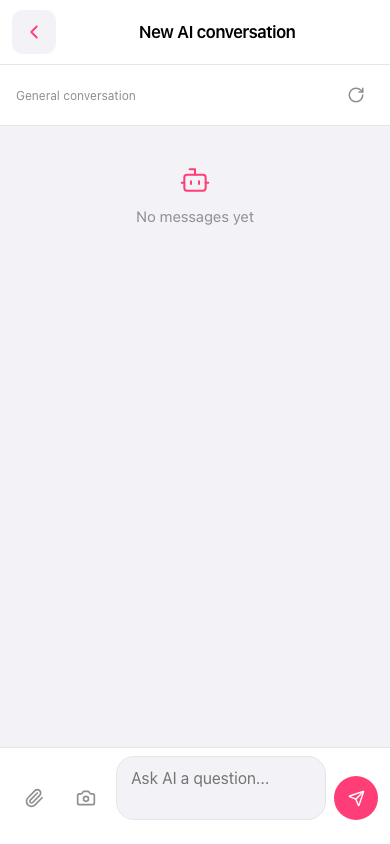 手機版|新 AI 對話(New AI conversation)