
1. Open the 'AI conversation (New AI conversation)' page and confirm the page title shows 'New AI conversation'. 2. Click the input field at the bottom (showing the prompt text 'Ask AI a question...') and type your question. 3. Click the pink arrow button on the right side of the input field to send the message. 4. Wait for the AI to process, and the results will appear in real time in the AI response message area above. 5. To ask follow-up questions, repeat steps 2–4; to start a fresh conversation, click the circular arrow icon in the top right to reset.
You can ask like this: 'What is our most recent purchase order?' The AI will respond like this: 'Your most recent purchase order is 'SIM-DL-PO-S0012-01', created on October 7, 2026, and the current status is confirmed.'
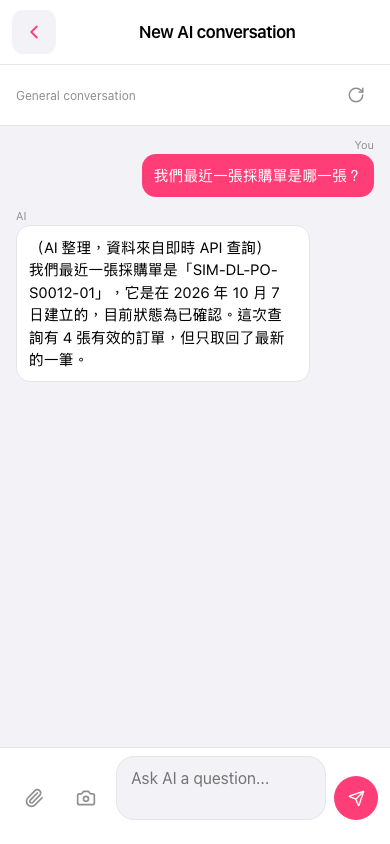 手機版|AI 對話(New AI conversation)