
1. In the left sidebar, click "Proforma Invoice (PI)", then open the PI you want to work on from the list (e.g. PI-2026-0411). 2. Use the "Sections" index on the left (Buyer Info, Shipping Info, PO General Info, Item List, etc.) to jump to the section you want to change. 3. Click "Edit" in the action bar below the title, then update the buyer, shipping info, or items. 4. To add items, click "Add Item" at the top right of the Item List section, or click "Add from Product" to add items from the product library. For existing items, use the "⋯" at the end of the row. 5. Check that the unit price, quantity, and subtotal amounts are correct. 6. Click "Send" in the action bar to send the latest version to the buyer.
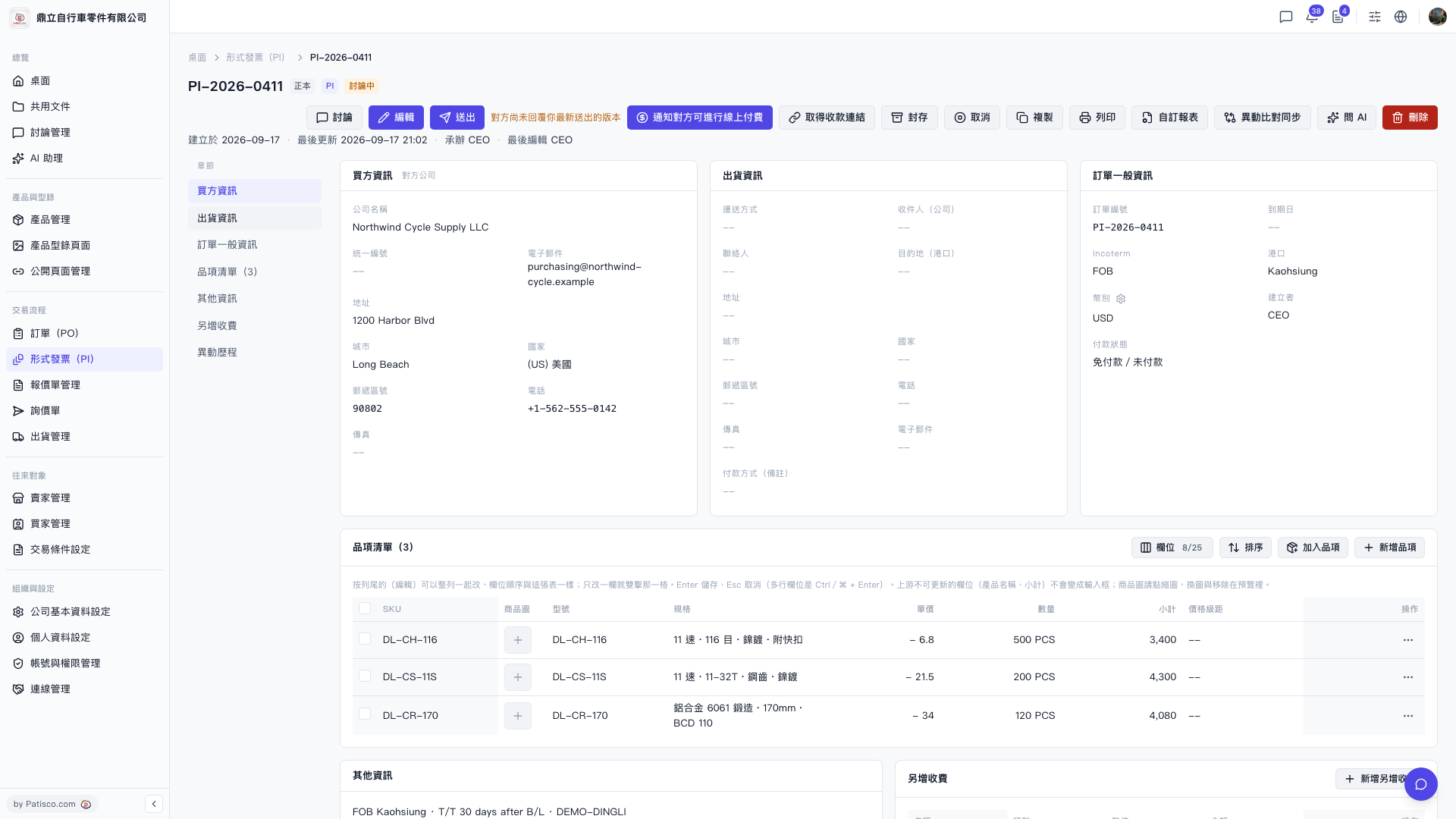 V5 新桌面版|PI-2026-0411(形式發票詳情)