
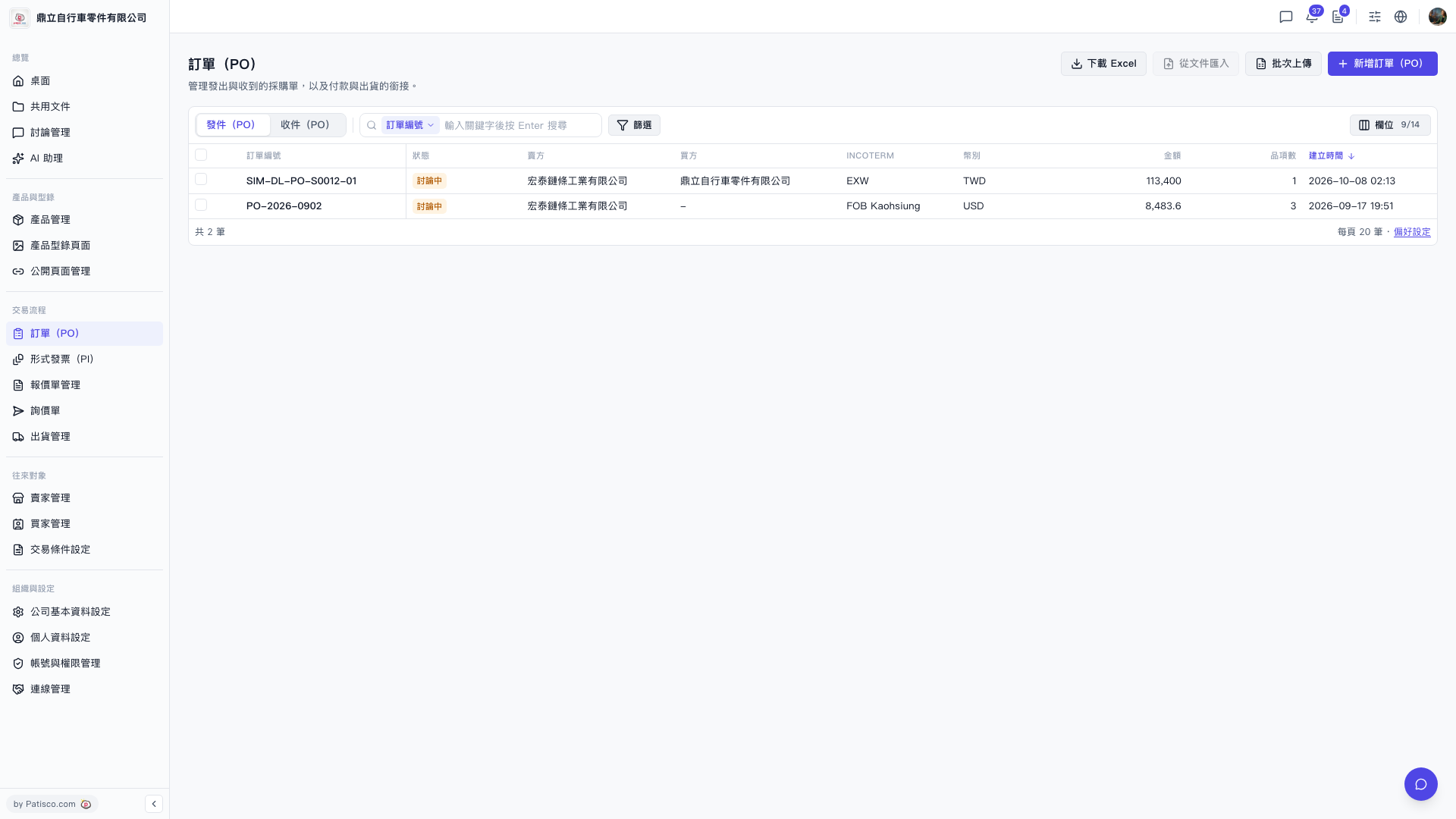
1. Create a PO: On the "PO" page, click the blue "New PO" button at the top right. Fill in the seller, buyer, INCOTERM, currency, items, and other details as shown on screen, then save. To create multiple POs at once, click "Batch Upload" at the top right instead. 2. Find a specific PO: Enter a keyword in the search box above the list (the default search field is the PO number) and press Enter. You can also click "Filter" to the right of the search box to set conditions. 3. View details: Go back to the list and click the PO number in the row to view or edit that PO. 4. Export: Click "Download Excel" at the top right to export the PO list as an Excel file. 5. You can adjust the number of rows per page (currently 20 per page) in "Preferences" at the bottom right of the list.
Note: "Import from Document" at the top right is currently grayed out and cannot be clicked.
 V5 新桌面版|訂單(PO)