
1. Open the detail page of the PI you want to collect payment for (e.g. PI-2026-0411). 2. After confirming the contents and amounts are correct, first click "Send" in the action bar below the title to send the PI to the buyer. 3. To let the buyer pay online, click "Notify buyer that online payment is available". 4. If you would rather send the link to the buyer yourself, click "Get payment link" instead. The system will generate a payment link for you to copy. 5. You can check the payment progress in the "Payment Status" field.
Also, click "Discussion" on the left side of the action bar when you need to discuss, and click "Print" when you need a paper copy or a file for your records.
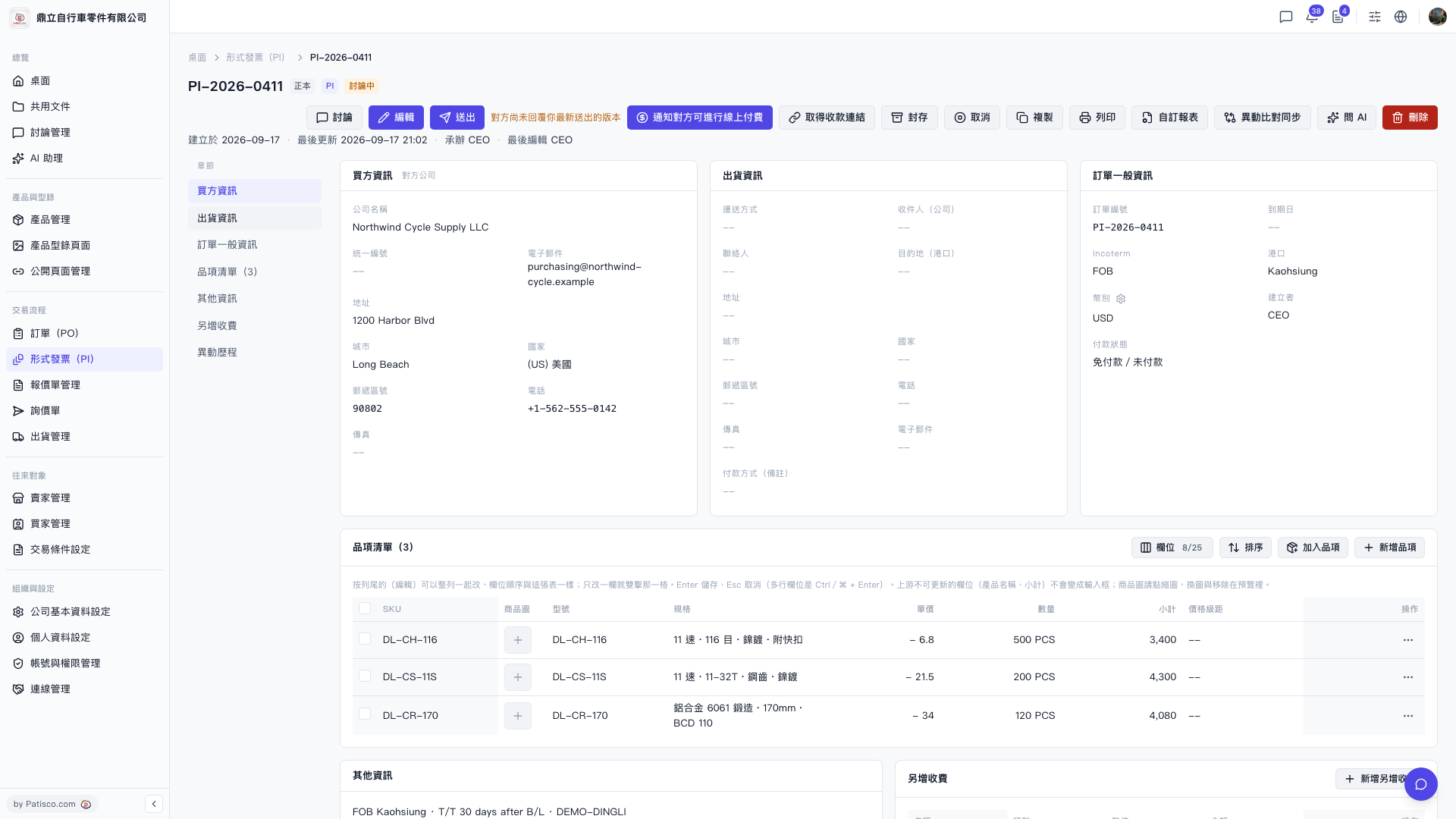 V5 新桌面版|PI-2026-0411(形式發票詳情)