
1. Open https://v5.patisco.com/quo in your browser, or click "Quotation Management" from the main menu. 2. The page will display the "Sent" tab by default, which shows the list of quotations sent by us. 3. The list columns include quotation number, buyer, currency, expiration date, status, and creation date. 4. In the top right corner, there are two main action buttons: "Download Excel" and "+ New Quotation". To adjust which columns are displayed, you can click "Columns 6/10" to customize (currently showing 6 out of 10 columns).
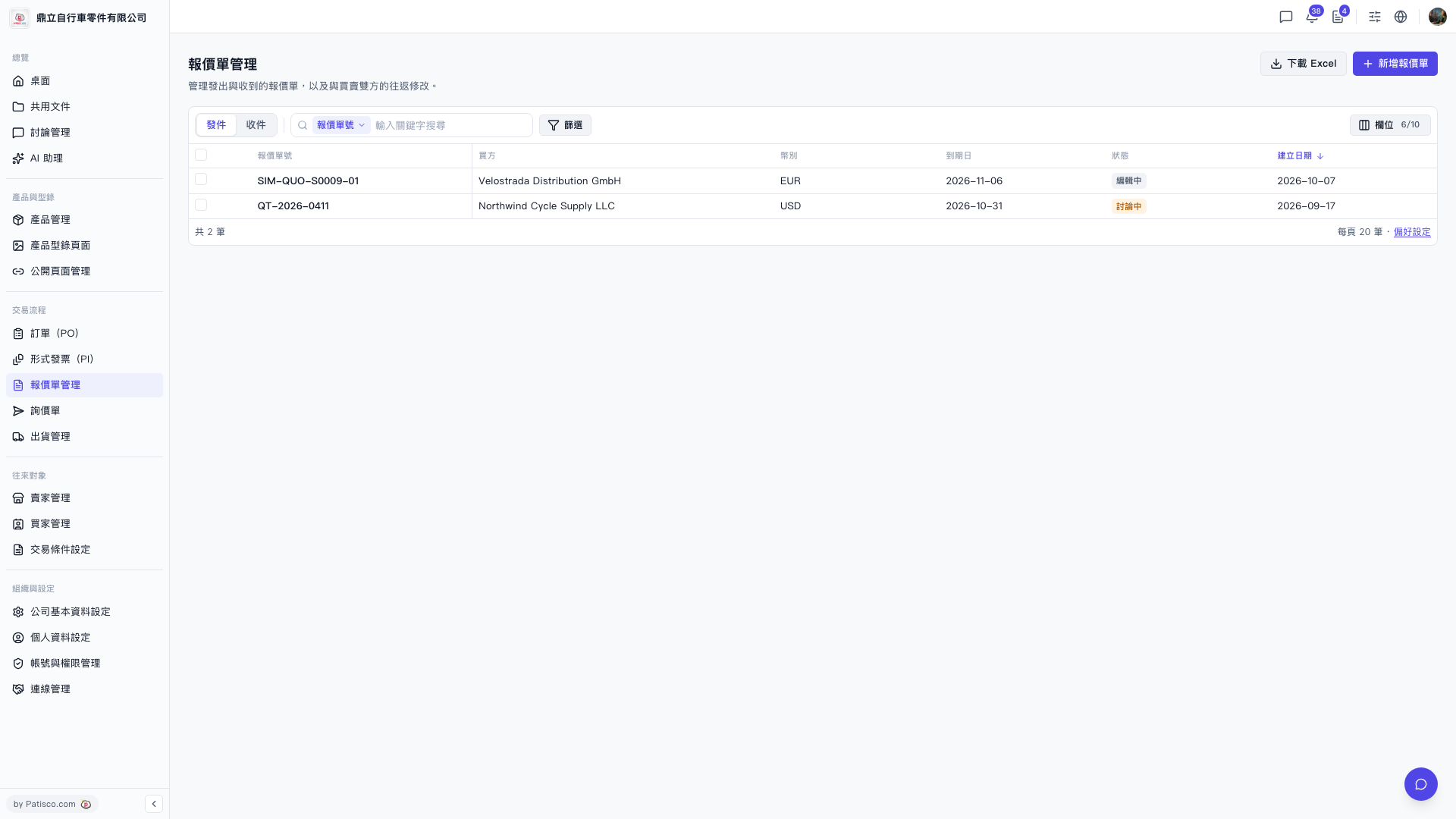 V5 新桌面版|報價單管理