
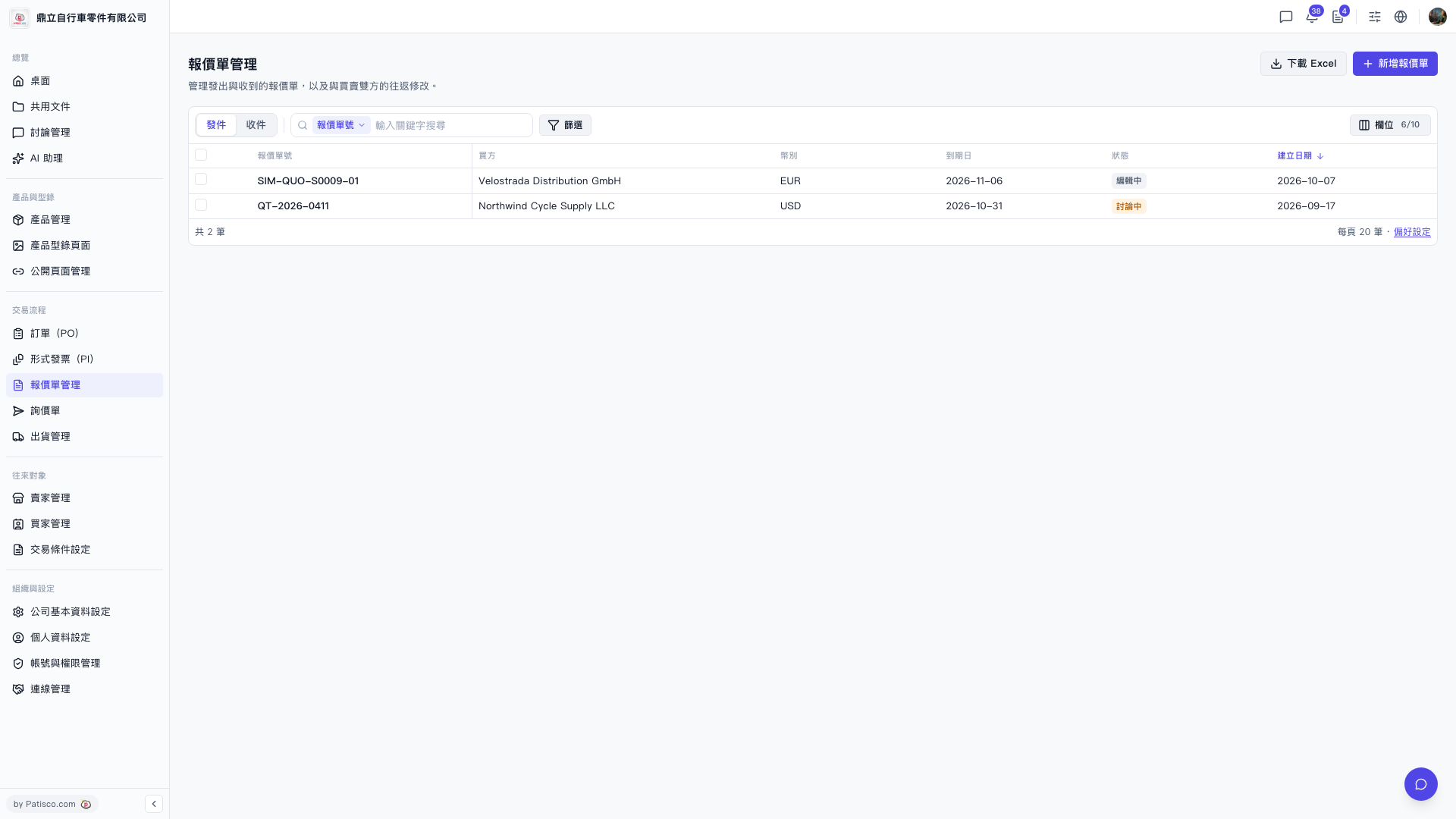
1. To view received quotations, click the "Received" tab on the left side of the filter bar at the top of the list. To switch back, click "Sent" again. 2. To search for a specific quotation, enter a keyword in the search box (such as quotation number or buyer name). 3. If you need more precise conditions, click the "Filter" button on the right side of the filter bar and set advanced conditions such as currency, status, and date range. 4. Once you find the target quotation, click the quotation number in that row to enter the details page where you can view or edit it.
 V5 新桌面版|報價單管理