
1. Open the mobile version of Patisco and go to the "AI conversation (New AI conversation)" page. 2. Click the input box at the bottom "Ask AI a question...". 3. Enter your question in natural language, for example: "What was our most recent PO?" 4. Click the pink send button on the right side of the input box. 5. Wait for the AI to query the system data, then read the reply to confirm the PO number, type, date, and status information.
You can ask like this: "What was our most recent PO?" The AI would reply: "Our most recent valid PO is 'SIM-NW-PO-2610-131', the document type is PI (Proforma Invoice), created on October 8, 2026, with status Confirmed."
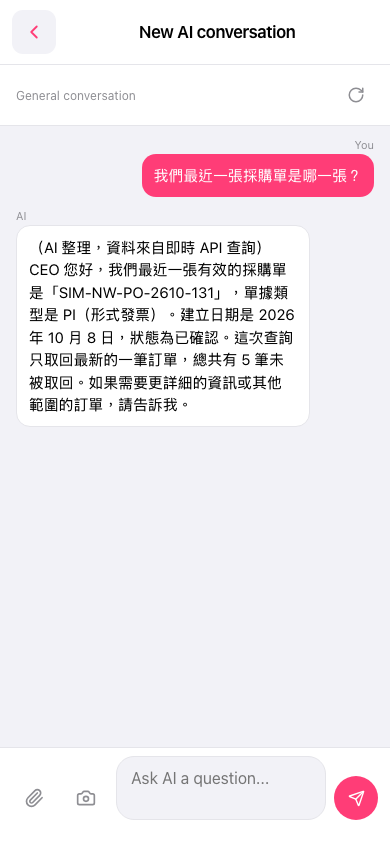 手機版|AI 對話(New AI conversation)