
1. After the AI reply is complete, find "import preview seller 12 records.csv" in the attachment area below the message. 2. Click on the attachment to download it (approximately 1 KB). After downloading, please verify that the data content is correct. 3. After confirming there are no issues, type "add" and send to formally execute the batch import.
Known situation: Although the AI reply mentions a generated file, the "AI generated file" card block may not display. If you cannot find the card, please look directly for the download link in the attachment area below the AI message.
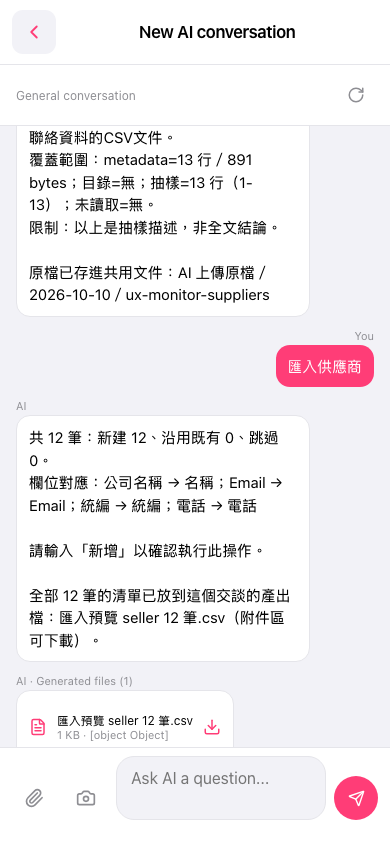 手機版|New AI conversation