
1. Go to the "New AI conversation" conversation page. 2. Click the "attachment icon" on the left side of the input box and upload a CSV file containing Seller Management data. 3. Type "import sellers" in the input box, then click the "send message (pink arrow button)". 4. Wait for the AI reply showing field mapping results and summary (e.g., new: 12, existing: 0, skipped: 0). 5. After confirming that field mapping is correct (Company Name → Name, Email → Email, Tax ID → Tax ID, Phone → Phone), type "add" and send to confirm executing the batch import.
You can ask like this: "import sellers" The AI would reply: "Importing sellers: AI found 12 records total: new: 12, existing: 0, skipped: 0. Field mapping: Company Name → Name; Email → Email; Tax ID → Tax ID; Phone → Phone. Please type 'add' to confirm this operation."
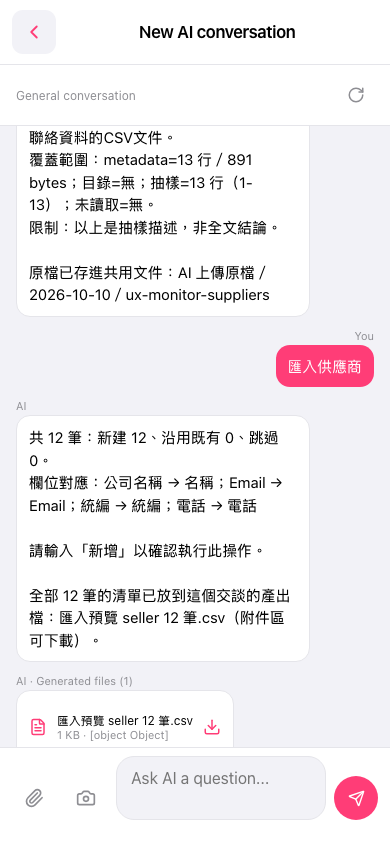 手機版|New AI conversation