
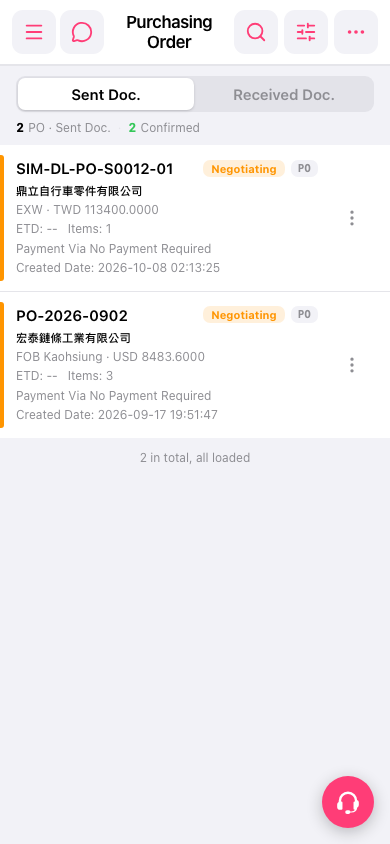
1. Open the mobile browser and navigate to Patisco mobile (mobile.patisco.com). 2. After logging in, click the "PO" entry in the bottom menu or navigation, and you will enter the PO page. 3. The page has two tabs: "Sent" and "Received". Click on the corresponding tab to switch and view different types of purchase orders.
 手機版|po.open