
1. After sending "Import sellers", wait for the AI to finish its reply. 2. Scroll to the attachments section at the bottom of the conversation and find "Import preview seller 12 records.csv". 3. Click the attachment to download it; you can then open it and verify each record. 4. After confirming the content is correct, go back to the conversation input box, type "Add", and click send to complete the formal import.
Known issue: Although the AI response mentions a generated file, the "AI output file" card may not appear. You can only download from the attachments section at the bottom. If you don't see the card, don't worry—just check the attachments section instead.
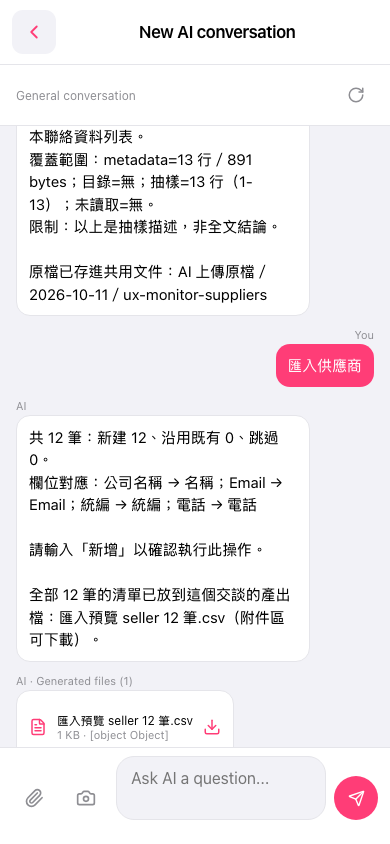 手機版|AI 對話(New AI conversation)