
After entering the My Profile page, you can modify the following: 1. Avatar: Click the "edit avatar (pencil icon)" at the bottom right of your avatar to upload a new photo. 2. Account Information: Click "Login Email" in the ACCOUNT section to change your login email; click "Password" to change your password. 3. Basic Info: Click "Name", "Phone Number", "Job Title", or "Timezone" in the BASIC INFO section, enter the new value, and save. 4. Preferences: Click "Language" in the PREFERENCES section to switch the interface language; "Number Format" to change how numbers are displayed; "Dark Mode" to toggle between dark and light modes using the switch on the right.
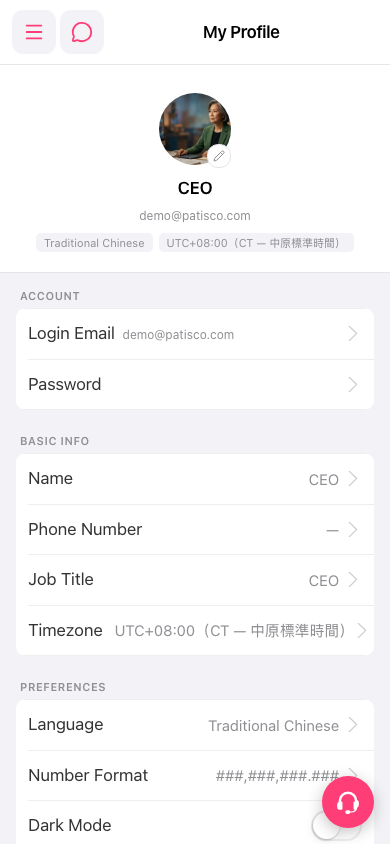 手機版|My Profile