
1. On the "Quotations" management page, click the "search (magnifying glass icon)" on the right side of the top navigation bar and enter keywords to quickly find the corresponding quotation. 2. To filter by conditions, click the "filter (slider icon)" on the right side of the top navigation bar, set conditions such as status, date range, and buyer, then apply. 3. Once you find the target quotation, click on the item itself to enter the detail page. To edit, copy, or delete, click the "⋮" (three-dot menu) on the right side of that row to expand the operation options.
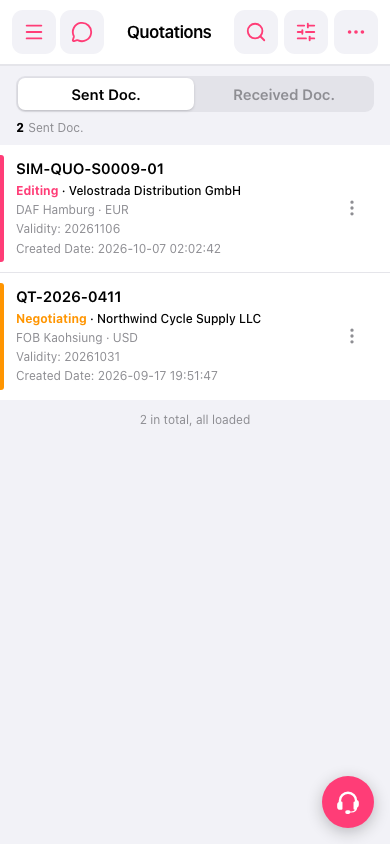 手機版|報價單管理(Quotations)