
1. In the left menu, under "Overview", click "AI assistant" to open the AI assistant page. 2. Click "New chat" (the blue-purple button) at the top left to start a new conversation. 3. Type your question in the input box at the bottom of the page. 4. Press Enter or click the paper plane icon on the right to send it. To start a new line, press Shift + Enter. 5. Read the AI's reply in the central area. To return to this conversation later, click it in the conversation list on the left.
Tip: When the input box is empty, the paper plane icon is light-colored and cannot be clicked.
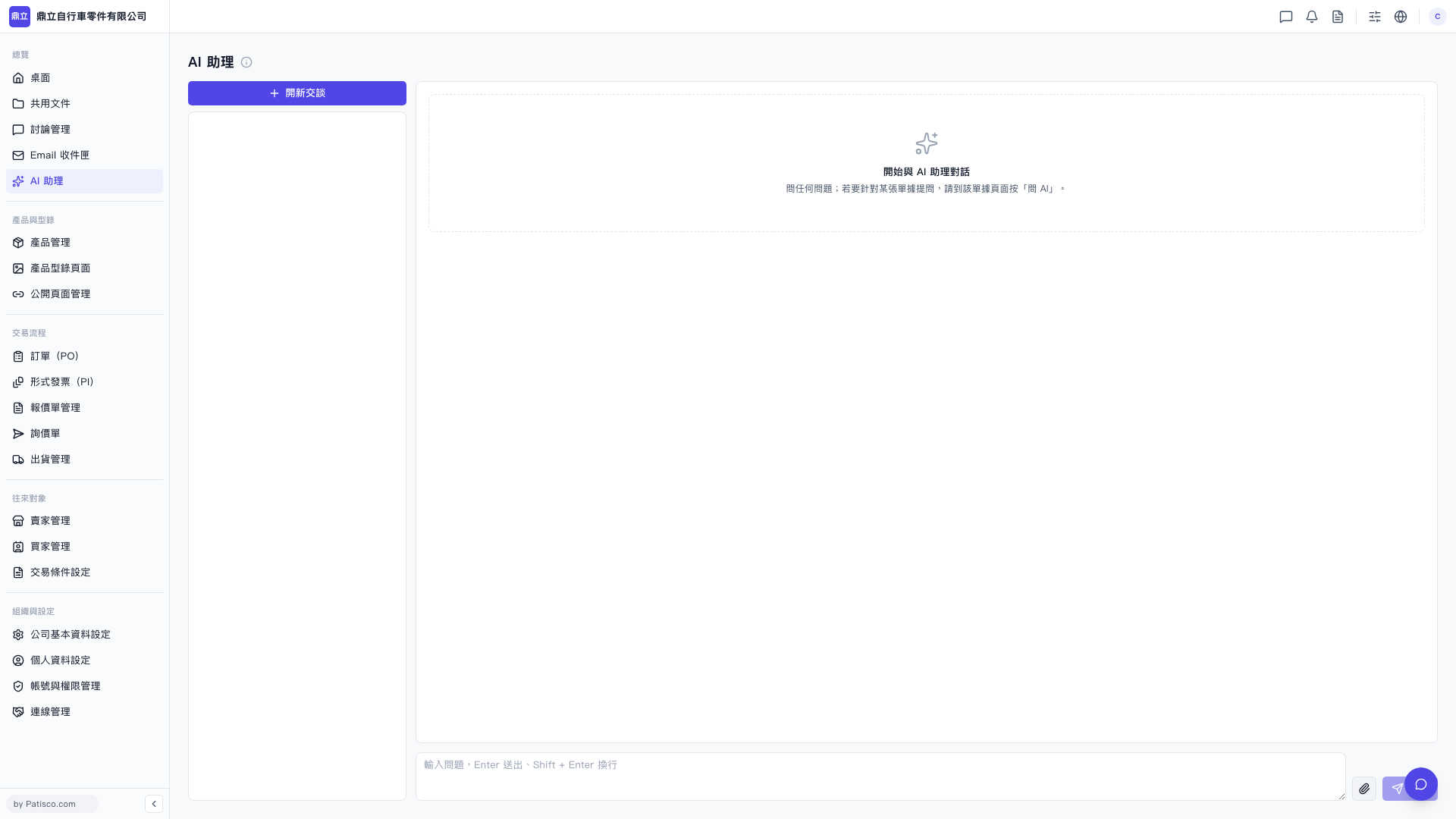 V5 新桌面版|AI 助理