
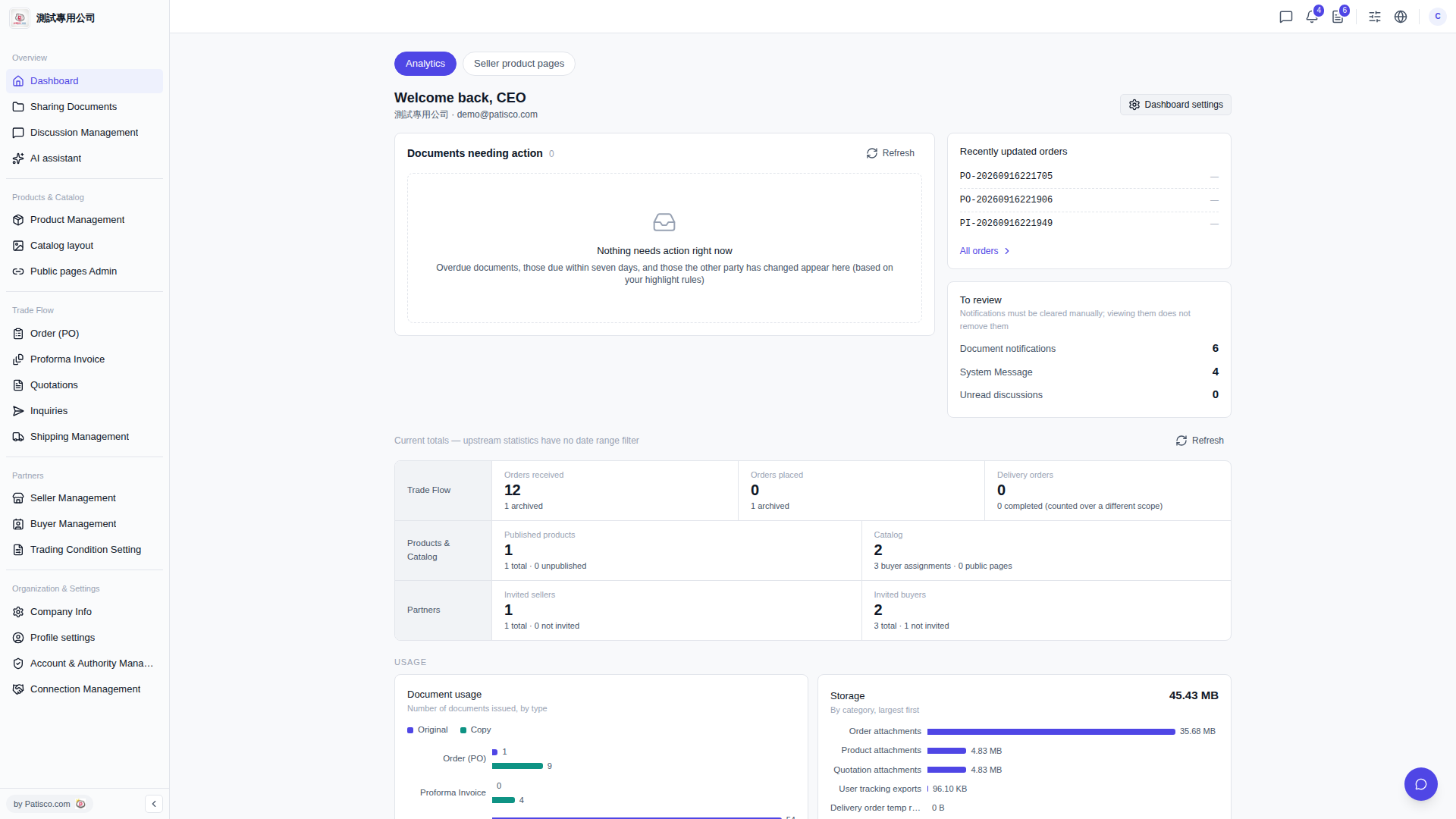
After logging in, the system will take you directly to the Dashboard page. We recommend checking the following sections in order: 1. Review the "Documents needing action" section to confirm whether there are any overdue or upcoming documents. If there are, click on the corresponding document to follow up. 2. Check the "Recently updated orders" section on the right side. Click on an order number to jump to that order's details, or click "All orders >" at the bottom to view all orders. 3. Review the "Document notifications" and "System Message" under the "To review" section. Any notifications require you to manually click on each item to enter the corresponding page for processing. 4. If the section data appears out of date, click the "Refresh" button on the right side of that section to update it.
 V5 新桌面版|Dashboard(儀表板)