
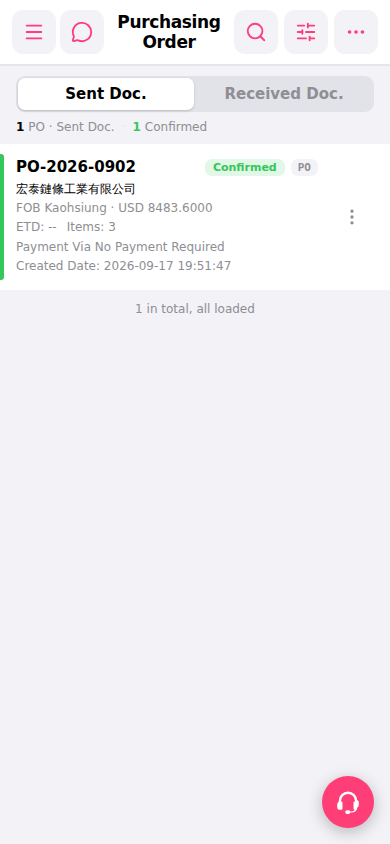
1. Open the mobile browser and go to the Purchasing Order page. 2. The page defaults to the "Sent Doc." tab (sent documents), which displays the POs you have sent out as cards. 3. Each card shows information such as PO Number, seller name, currency and amount, status, and estimated time of departure (ETD). 4. To view the POs sent by the other party, click the "Received Doc." tab on the right side to switch. 5. Click on a PO card to enter the detailed page of that purchase order and view the full content.
 手機版|Purchasing Order(採購訂單)