
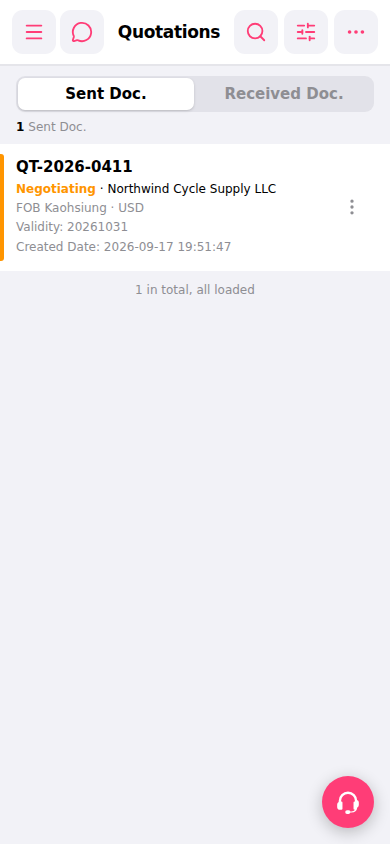
1. Open the Patisco mobile version and click the bottom menu to enter the Quotation management page. 2. The page defaults to displaying the "Sent Doc." (sent) list, which shows the quotations you have sent out. 3. Each quotation card displays information such as quotation number, status, buyer company name, trading terms, currency, validity period, and creation date. 4. Click on a card to enter the detail page of that quotation and view the full content.
 手機版|報價單管理