
1. Open the mobile browser and go to the Shared Files page. 2. The screen will display all current main folders, showing each folder's name, tag (Default), and item count. 3. Click the ">" expansion arrow on the left side of the folder list row to view subfolders or files within that folder. 4. To perform more operations on a folder (such as rename or delete), click the "⋮" menu icon on the right side of that row.
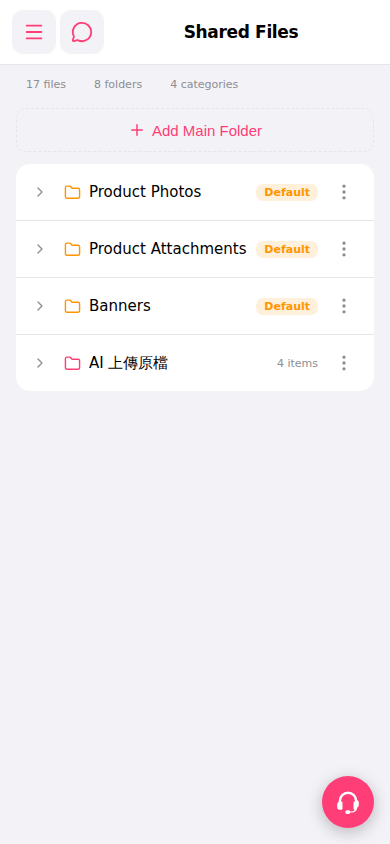 手機版|Shared Files(共享檔案)