
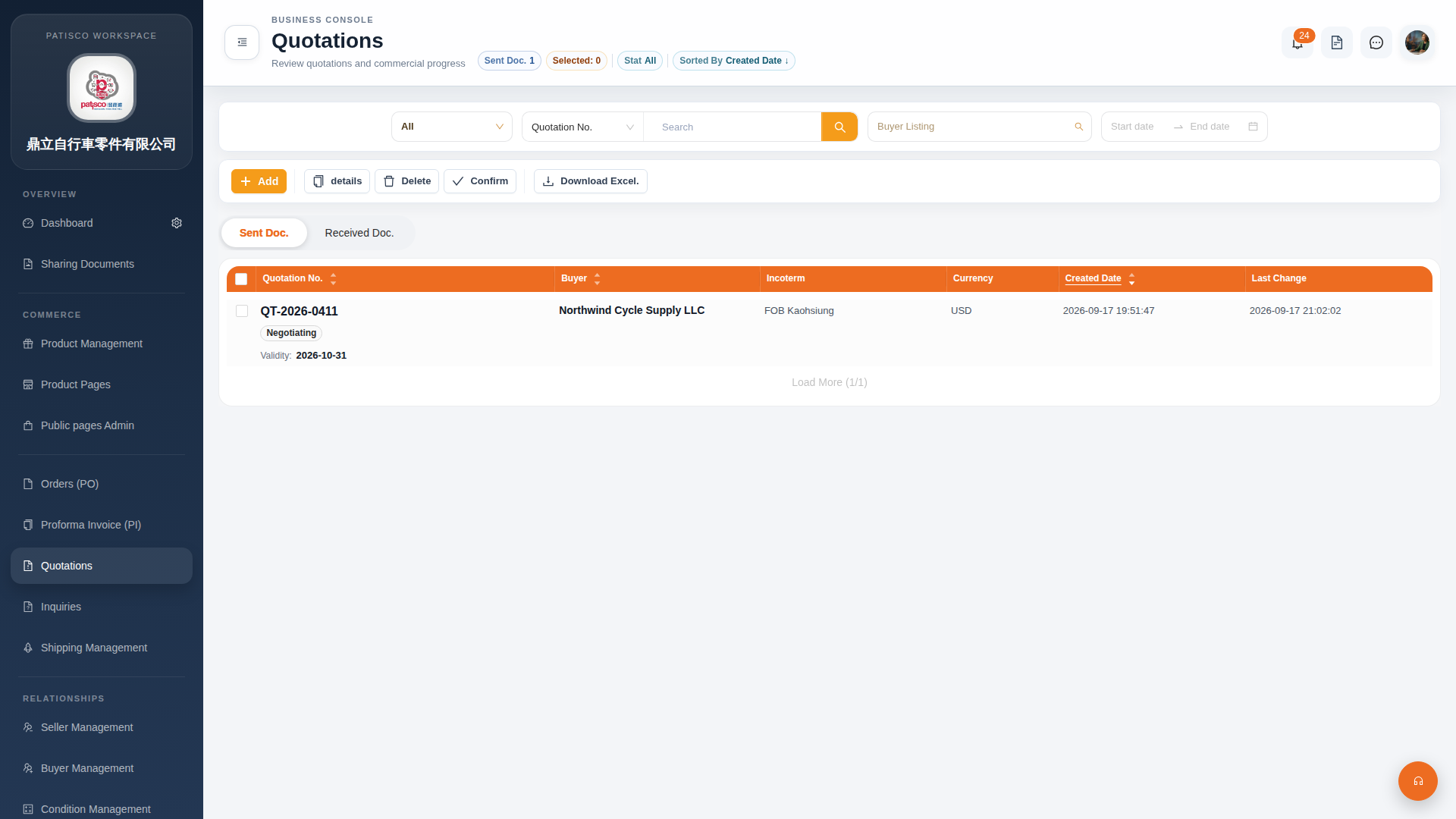
1. Click "Quotations" in the left sidebar to enter the Quotations management page. 2. The page displays the "Sent Doc." tab by default (sent quotations); to view received quotations, click the "Received Doc." tab to switch. 3. Main operation buttons are located in the upper left of the list and include: - "Add": Create a new quotation - "details": View detailed information of the selected quotation - "Confirm": Confirm the selected quotation and advance the status from Negotiating to confirmed - "Delete": Delete the selected quotation - "Download Excel.": Export the current list as an Excel file 4. The filter area at the top of the page can be combined with "Stat All", Buyer Listing filters, and date ranges to quickly find the desired quotation.
 G4 桌面版|報價單管理(Quotations)