
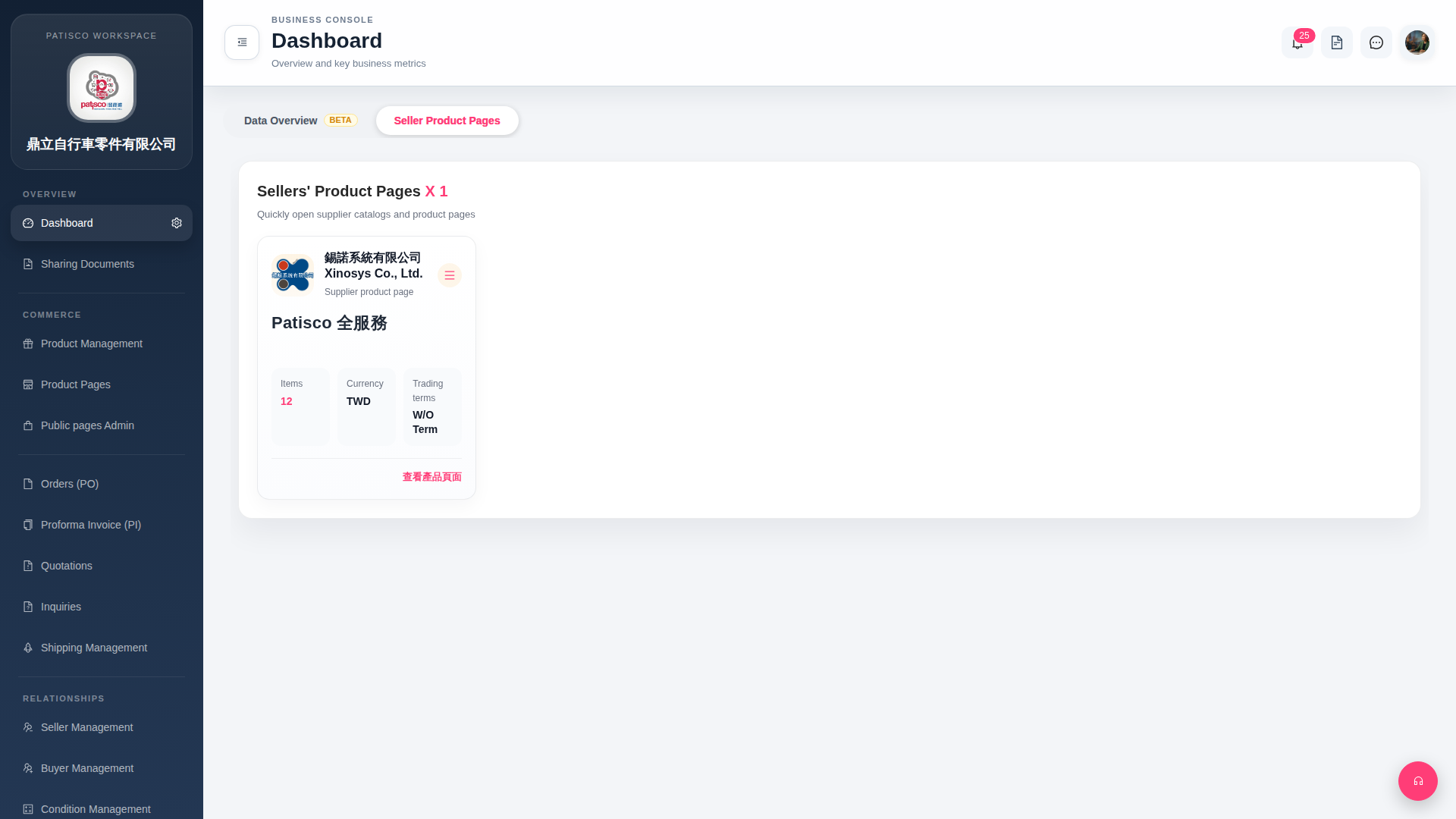
1. After logging in, the system will automatically go to the "Dashboard" page. 2. Click the "Seller Product Pages" tab at the top of the page to see a list of all linked supplier product pages. 3. Each supplier card will display the company name, Items (number of items), Currency (currency type), and Trading terms (trading conditions) and other basic information. 4. To open a supplier's complete product catalog, click "View Product Pages" at the bottom right of that card. 5. If you need to edit or perform other operations, click the "≡" at the top right of the card to expand more options.
 G4 桌面版|Dashboard