
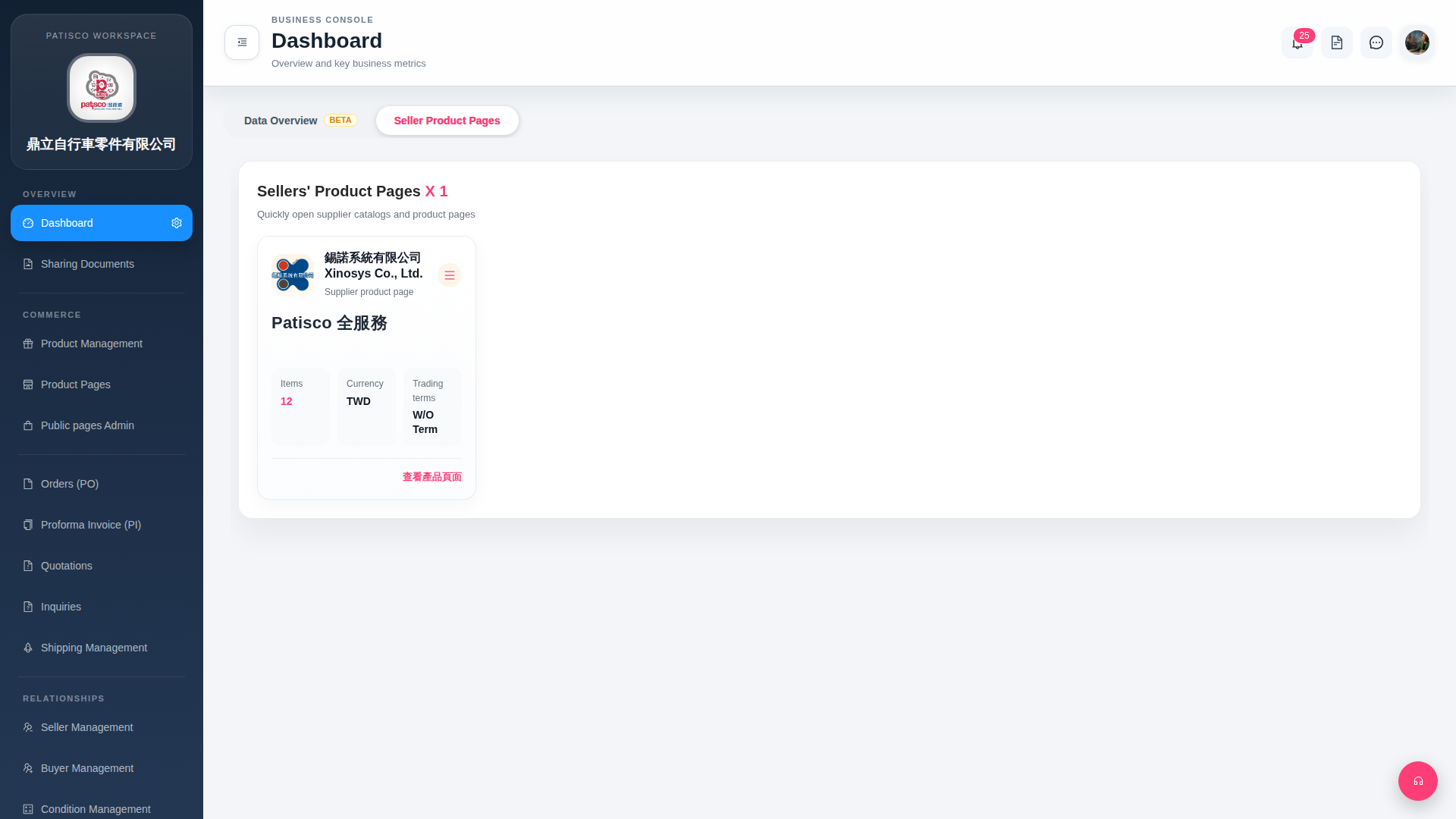
1. Click "Dashboard" in the left sidebar to access the main control panel home page. 2. Click the "Seller Product Pages" tab at the top of the page (currently selected by default). 3. The screen will display supplier cards showing the number of items (Items), currency (Currency), and trading terms (Trading terms) on each card. 4. To view a supplier's complete product catalog, click "View Product Pages" at the bottom right of that card.
 G4 桌面版|Dashboard