
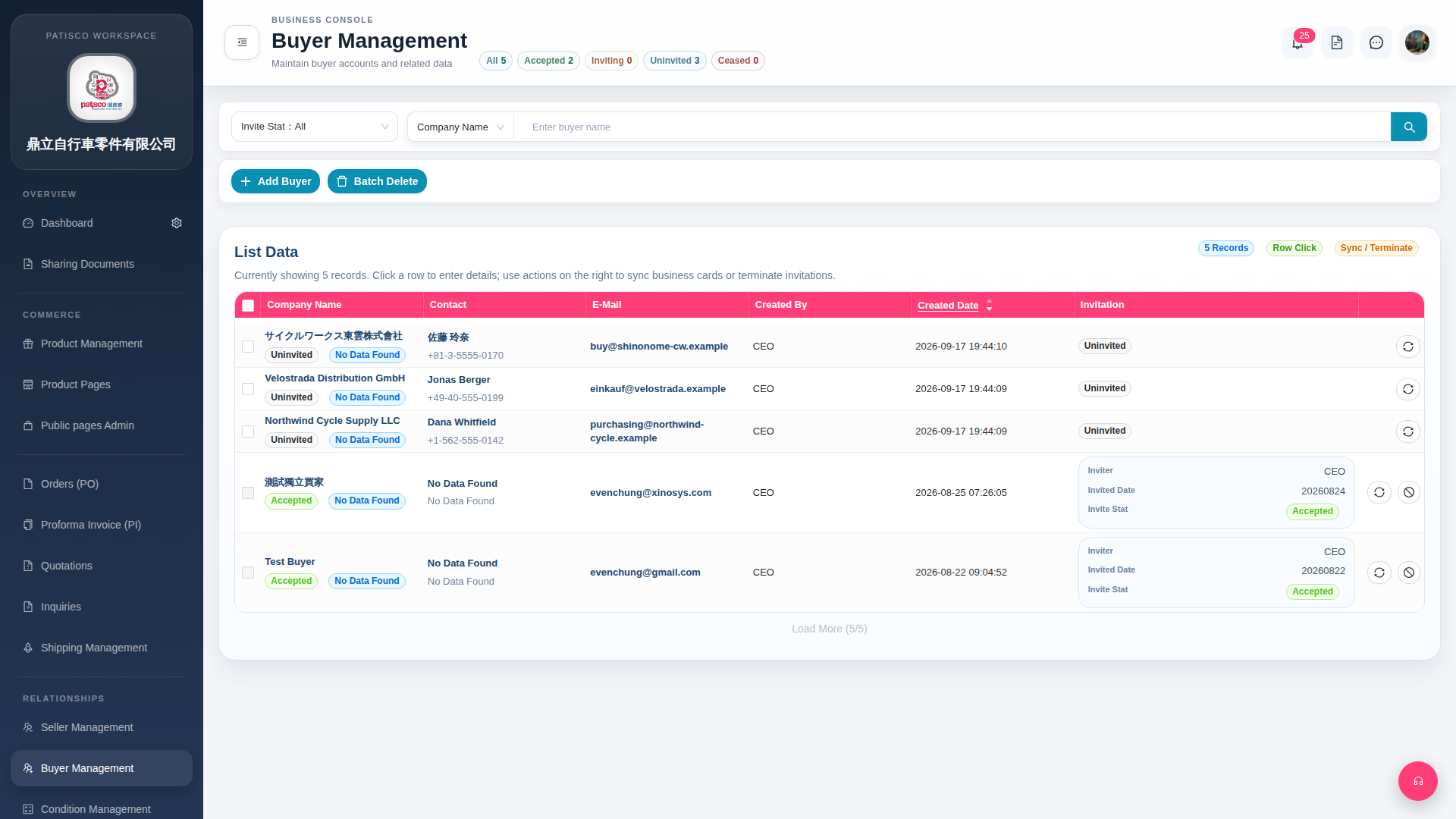
1. Click "Buyer Management" in the left sidebar to enter the Buyer Management page (page title displays "Buyer Management"). 2. After entering, you can see a list of all buyers with columns including Company Name, Contact, E-Mail, Created By, Created Date, and Invitation-related information (Inviter / Invited Date / Invite Stat). 3. The page provides the following common operations: - Click "Add Buyer" to add a new buyer account. - Click "Batch Delete" to batch delete selected buyers. - Click the magnifying glass icon on the right side of the search field to search for specific buyers by company name. 4. To view or edit detailed information for a specific buyer, click on that data row to enter the details page.
 G4 桌面版|Buyer Management