
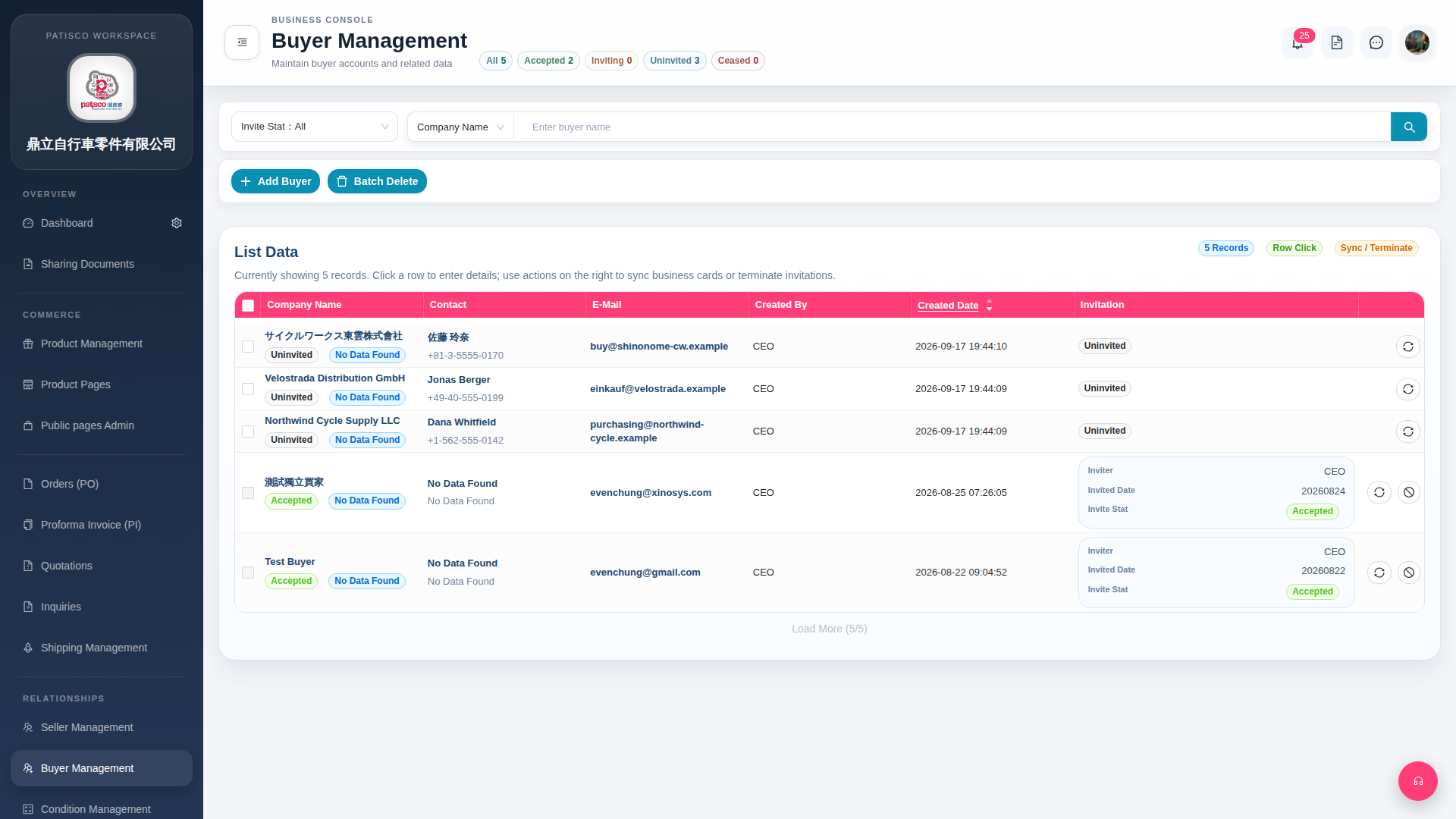
1. On the Buyer Management page, below the page title in the filter tab row, click the corresponding tab to quickly filter: - "All 5": Display all 5 buyer records. - "Accepted 2": Filter buyers who have accepted the invitation (currently 2 records). - "Inviting 0": Filter buyers being invited (currently 0 records). - "Uninvited 3": Filter buyers who have not yet been invited (currently 3 records). - "Ceased 0": Filter ceased buyers (currently 0 records). 2. To send an invitation to an "Uninvited" buyer, click the sync icon on the right side of that row to sync the invitation. 3. To terminate an invited buyer, click the terminate icon on the right side of that row. 4. To batch delete, first check the checkbox on the left side of the list, then click "Batch Delete".
 G4 桌面版|Buyer Management